

Build your product marketing from one CAD file, before the product exists
Build your product marketing from one CAD file, before the product exists
In short: using CAD technical documentation and 3D creative work, you can produce advertising, training and instructional materials plus animations for your website and social media. All of them can be made before the first prototype is built, so the campaign is ready together with the product launch, not several months later.
In this article:
- A CAD file is a digital model of the product, and it is enough to start marketing
- Marketing materials can be ready before the first prototype exists
- One 3D model can serve every marketing communication channel
- What you gain when all materials come from one model
- One 3D production can replace several separate orders
- When the launch has a date, the order of work matters
- A CAD file is enough to start, sometimes even a drawing with dimensions
- Frequently asked questions
A CAD file is a digital model of the product, and it is enough to start marketing
CAD is the software engineers use to design products. A file from such a program contains the exact shape of every part, its dimensions and how it connects to the others. In other words, it is a complete digital copy of the product that exists before the factory makes the first unit.
For the marketing team it is more valuable than a photo. A 3D studio gives the model materials, colours and lighting, and the result looks like a picture from a professional shoot. On top of that, the model allows things a camera cannot do: look inside the housing, take the device apart, show airflow or the movement of a mechanism.
The most important advantage, though, is different: the image is built from geometry designed by an engineer, not from a graphic designer’s imagination. Every detail matches the real product. This is the principle behind 3D visualization for industry, and if you want to know the technical side of the process, we describe separately how a CAD file becomes a photorealistic image.
Marketing materials can be ready before the first prototype exists
In the traditional approach, marketing waits for the product. First a unit has to be built, then painted, taken to a studio and photographed. If the launch is planned for a specific trade show or the start of sales, the photos often arrive too late.
3D creative work reverses this order. Since the model already exists in the CAD file, materials can be made in parallel with production rather than after it. As a result, the catalog, the product page and the campaign are ready on launch day.
This goes furthest in projects where the product does not exist at all yet. The ATS aircraft towing system was shown in a 3D animation before its physical prototype was built. The animation was part of a presentation meant to convince investors that the concept was feasible. For the Boosted supplement series, packshots were created from the packaging model, so advertising and sales materials were ready before the first units were produced. And device visualizations for the Impakt group went onto the packaging of two different brands, Natec and Genesis, without a separate photo shoot for each variant.
One 3D model can serve every marketing communication channel
A marketing communication channel is any place where a company talks to customers about its product: the website, social media, the catalog, a trade show booth, a sales conversation or training for distributors. Each channel needs a different format, but all of them can use the same 3D model.
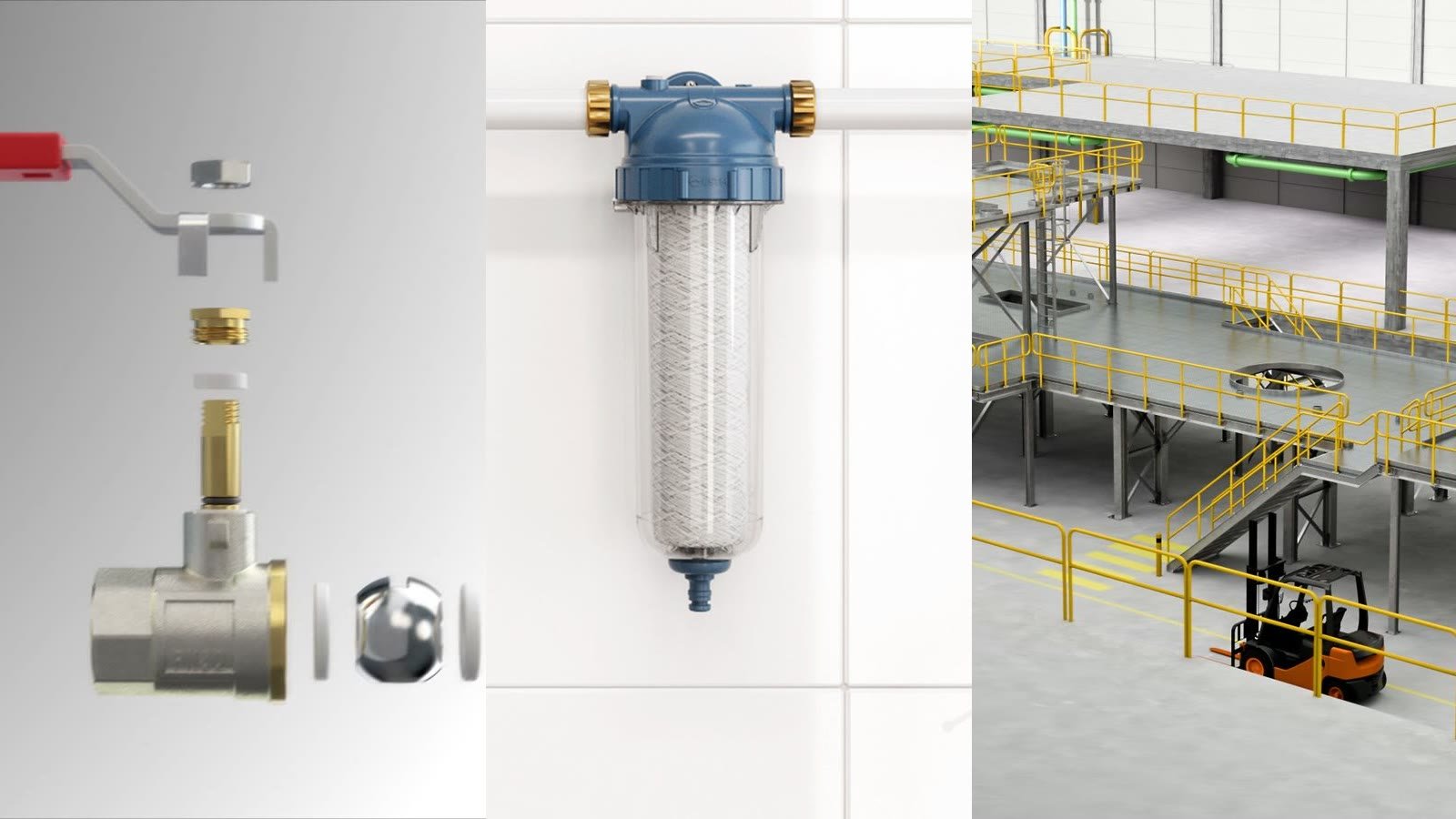
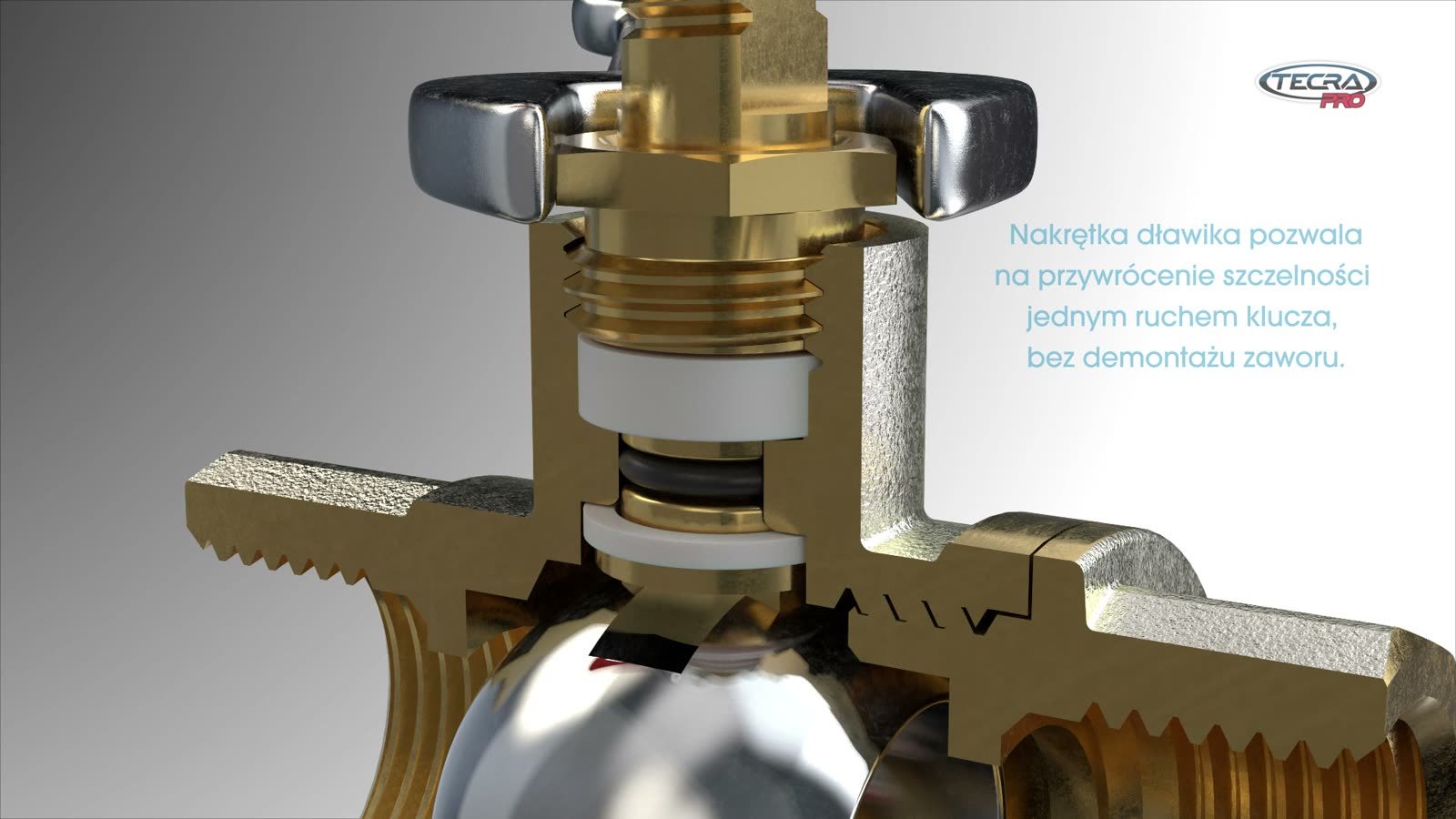
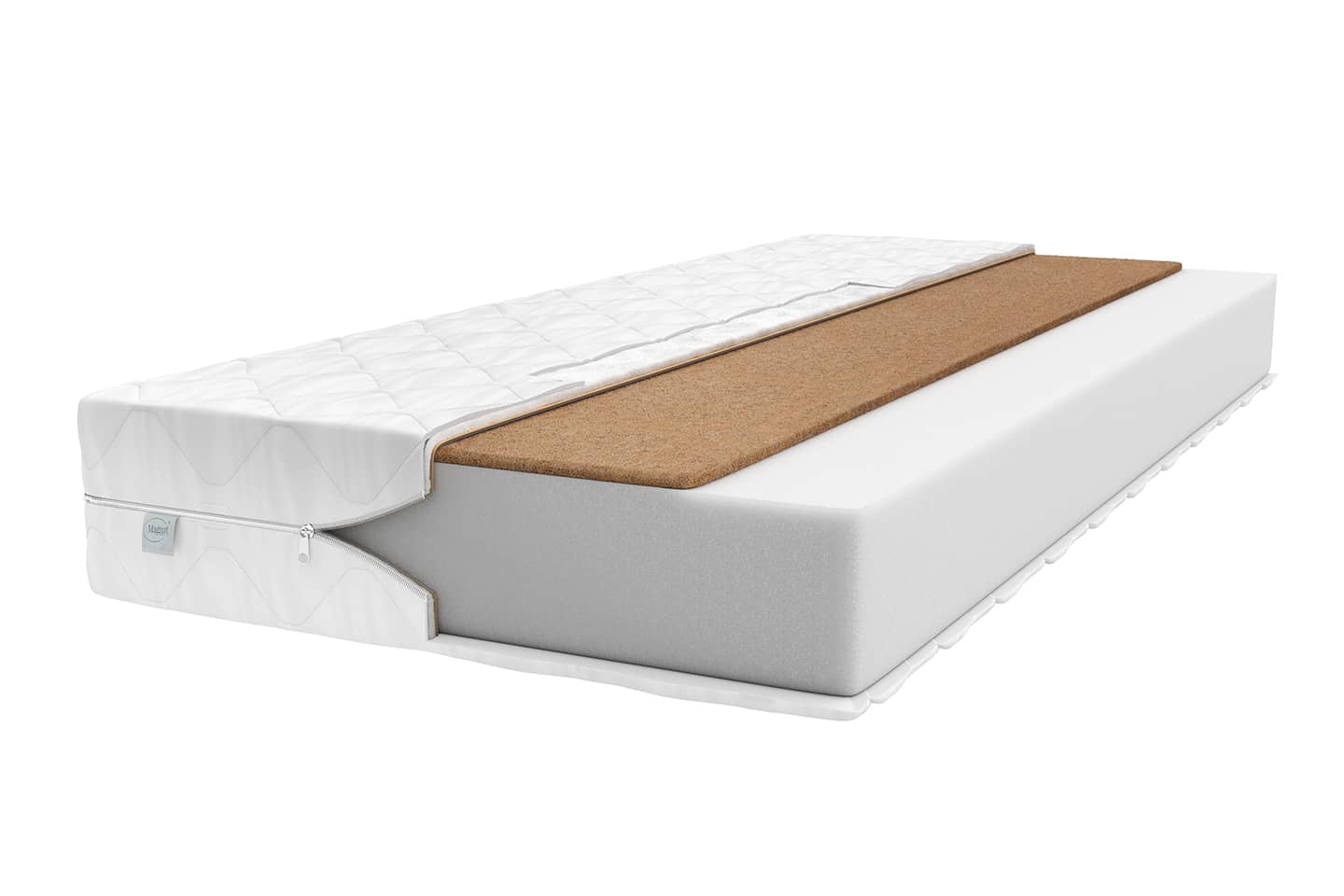
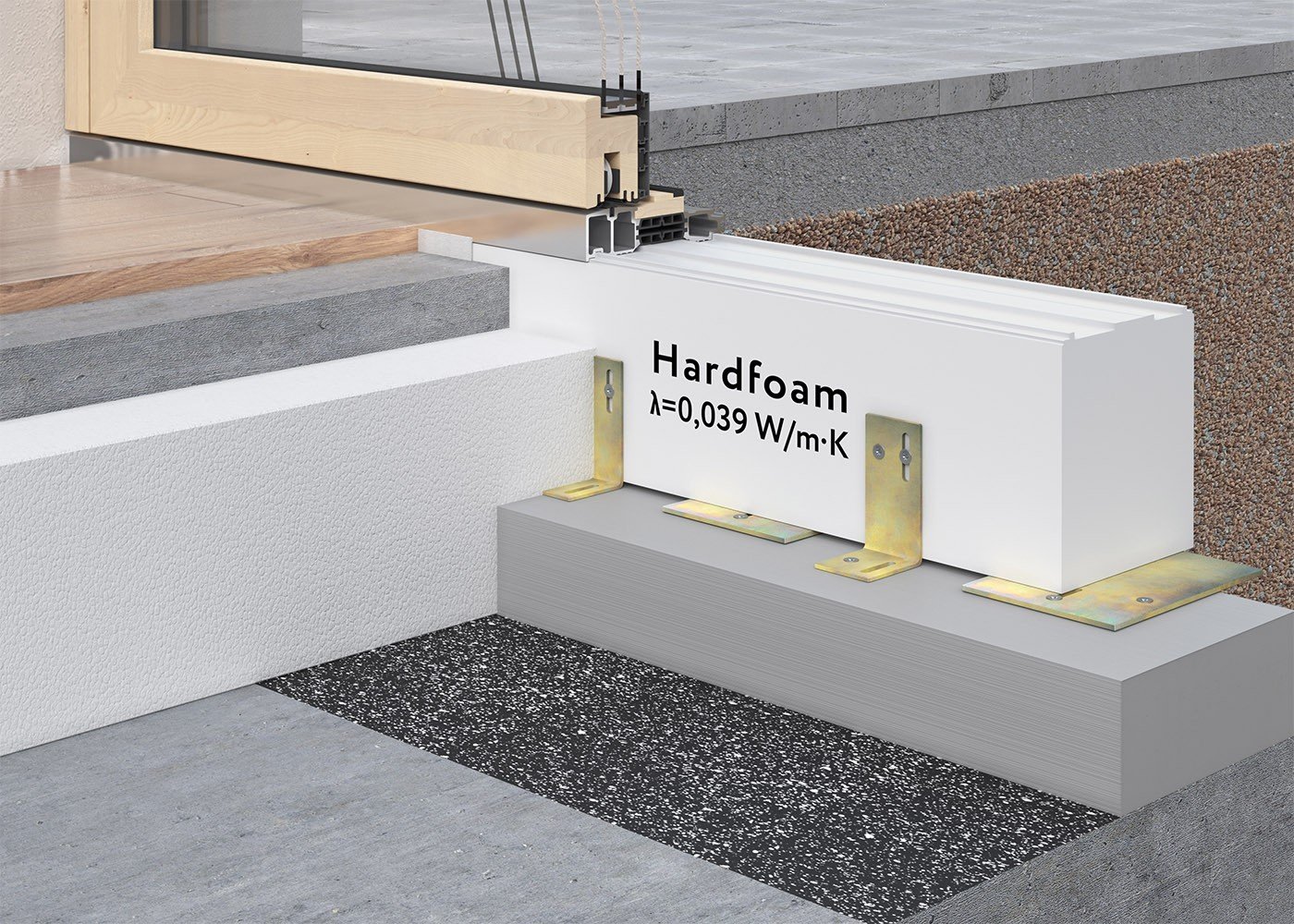
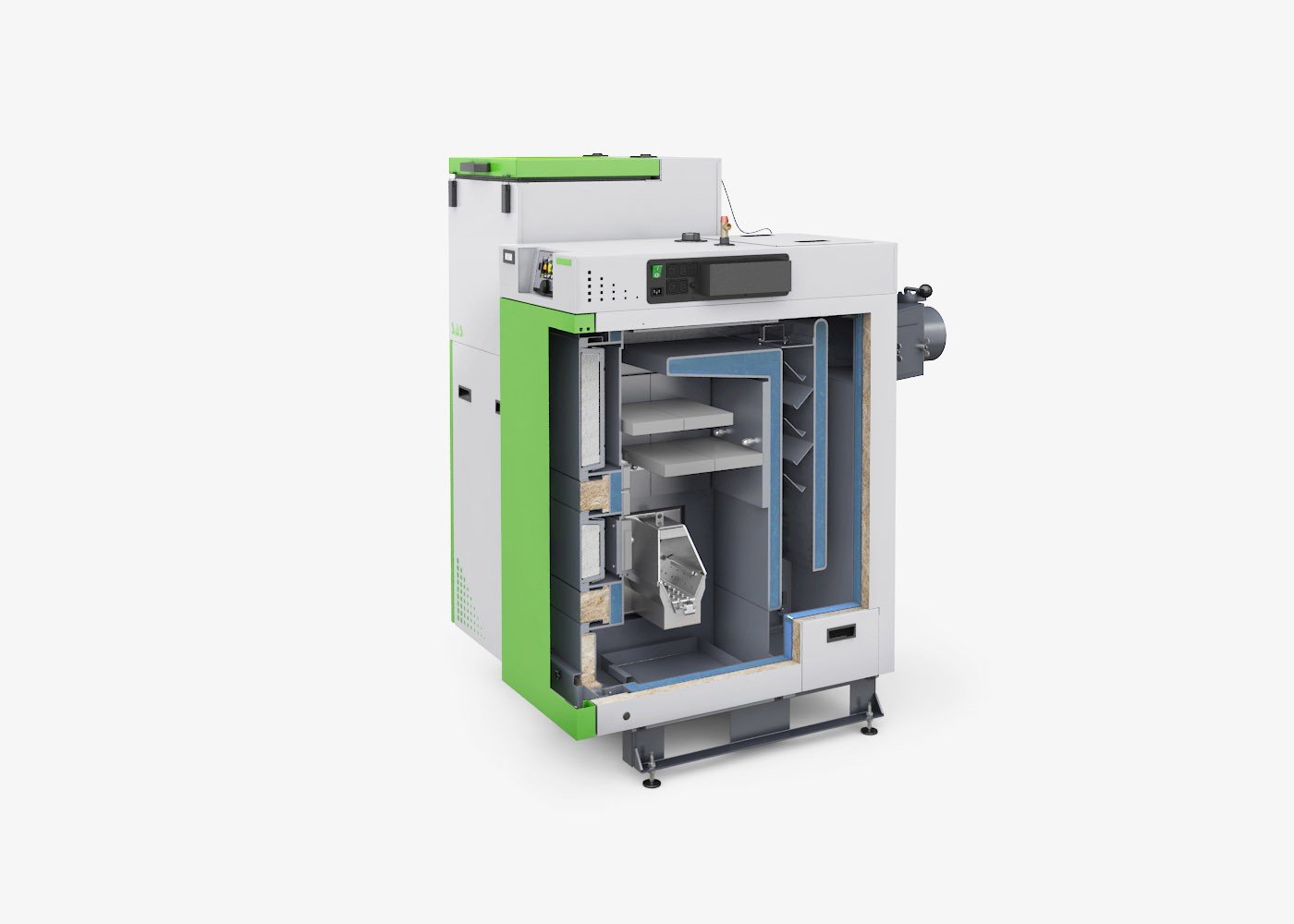
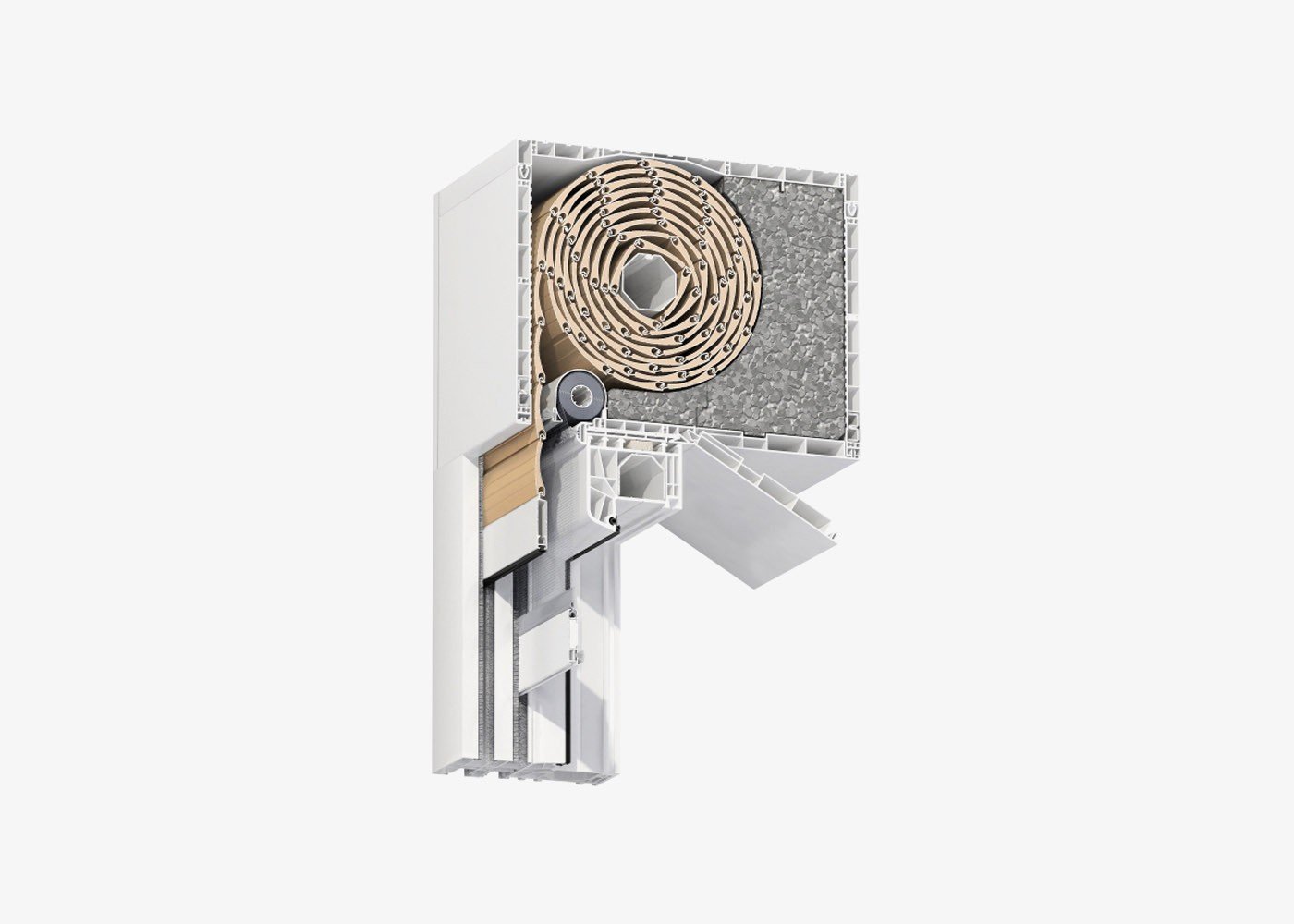
The strongest image a model gives you is a cross-section. The same file used for a shop packshot lets you cut the product open and show its inside - in the catalog, on the website and on the booth wall. We have collected dozens of such shots in a gallery where you will find 3D cross-sections from various industries.
What you can prepare from one 3D model
The model is built once. Only the format, length and presentation change - depending on where the material has to work.
- Website and online shopPhotorealistic product images, a 360° view, a short animation of how it works or an interactive presentation the customer rotates themselves.
- Social mediaShort vertical and square versions of the animation, made from single scenes of a longer film.
- Catalog, leaflet and packagingPrint-resolution images, cross-sections showing the inside and every colour variant without a new shoot.
- Trade shows and industry eventsLarge-format graphics for the booth walls and a video loop for the screen, readable from several metres and without sound.
- Sales conversationsA shortened animation for a tablet or laptop that shows in a few dozen seconds how the product differs from the competition.
- Advertising campaignA spot in which the product is the hero and can do what no camera could record.
- Training for sales and service teamsThe same scenes at a slower pace, with the steps described and the device taken apart.
- Installation and operating instructionsA step-by-step animation that replaces a multi-page leaflet and does not need translating into other languages.
The table below shows how this works in practice. Each row is a different marketing communication channel and a different project from our portfolio.
Not every company needs all eight uses at once. It is worth, however, preparing the model from the start with the next ones in mind - then extending the campaign does not mean starting from scratch. You will find more examples in our overview of 3D animation applications.
What you gain when all materials come from one model
Six benefits of working on one 3D model instead of separate shoots and orders for each channel.
Hover over a card or tap it to see the details.
The campaign starts with the product
Materials do not wait for a unit to photograph.
The catalog goes to print, the product page is ready and the booth has its graphics before the first batch leaves the production line.
The product looks the same everywhere
The same proportions, colours and details in every channel.
When a photographer takes the pictures, an agency makes the film and the technical department writes the manual, the product looks slightly different everywhere. One 3D model removes those differences.
You see what a photo cannot show
The inside, a cross-section and the mechanism in motion.
In the animation for Pokolm you can see the cooling channels inside the milling cutter - a detail no camera can record.
A new variant without a new shoot
Another colour or finish is just a change of material on the model.
That is why product visualizations of a whole series are made as fast as those of a single product.
A design change is just a correction
You correct the model instead of ordering everything again.
If the engineers change one part, it is corrected in the model and only the shots it affects are re-rendered.
The image needs no translator
The same animation works in every market.
A version without captions or voice-over can be sent to a distributor in any country, and descriptions in the local language added separately.
Four industries, the same principle
Each of these images was created from a 3D model, not from a photograph. Click to enlarge.
Do you have a CAD file of a product that is about to launch?
Tell us when the launch is and in which marketing communication channels you want to show the product. We will reply with what can be prepared by that date.
Contact usbiuro@modelight.pl | +48 509 510 197
One 3D production can replace several separate orders
A well-planned project does not end with one film. For USTM, a manufacturer of water filtration systems, one consistent 3D process produced advertising animations, instructional films, product visualizations, packaging graphics and website visuals. The installation animation shows the filter installation step by step, and a film like that can be shared with customers through a link on the packaging instead of a multi-page leaflet.
3D spot for USTM: cross-sections of the filter cartridges show what happens to the water inside the device. The same 3D process also produced instructional materials and product graphics.
It was similar with the Spinworx milling cutter animation for Pokolm. One production combined three goals: an advertising message, an explainer of the milling process and the tool’s application in aerospace. The models from this animation then went onto the large-format prints of the booth and onto the screen at trade shows.
For you it means something simple: instead of ordering a photo shoot, an advertising spot and a training film separately, you order one model and plan all the formats you need from it. A shorter form of the same approach is product animation - a film that shows how the device works and then works in many places at once.
When the launch has a date, the order of work matters
If the product is to debut at a specific trade show or in a particular sales season, the order of work decides whether everything is ready in time. A simple rule works: start with what has the longest lead time.
First the 3D model and images for print. The catalog, leaflets and booth graphics need the most time for layout and printing, so they should be made first.
Then the animation of how the product works. It uses the finished model and the visual decisions from the previous stage, so no work is repeated.
Finally the versions for individual channels. A silent loop for the booth screen, short formats for social media, a slower training version - all of them are edits of the same scenes.
A CAD file is enough to start, sometimes even a drawing with dimensions
Preparing materials in 3D does not require technical knowledge from the marketing team. What is needed already exists in the company.
What to prepare
The script, the shots and the decision about what to show in cross-section are on the studio’s side.
- A CAD file or technical documentationIdeally an export from the design program. For simpler products, drawings, photos or sketches with dimensions are enough.
- Launch date and list of channelsWhen the product enters the market and where it should appear. This decides what is made first.
- The product’s key advantagesOne or two features that set it apart from its predecessor or the competition. We build the shots around them.
- Brand identityLogo, colours and identity rules, so that all materials look like one campaign.
You do not need a prototype, a photo shoot or a finished script. If a prototype is available, it helps to check colours and textures, but the model is built without it.
If you want to prepare your inquiry in more detail, we describe separately what drives the quote and how to prepare an inquiry. You can check an estimated cost in our cost calculator.
Start your product marketing with a CAD file
Send us the documentation and the launch date - we will reply with which materials can be prepared and in what order.
Ask about 3D materialsbiuro@modelight.pl | +48 509 510 197
Frequently asked questions
Can marketing materials be prepared before the first prototype is built?
Yes. The 3D model is built from CAD technical documentation, so neither images nor animations require a physical unit. A prototype is only useful for comparing colours and textures, if one is available.
What is a CAD file and where do I get it?
It is a file from the program engineers use to design the product, such as SolidWorks, Inventor or Creo. Your company’s design department has it, or the supplier who designed the device. An export in one of the common formats, such as STEP, is enough.
What materials can be made from one 3D model?
Images for the catalog, the shop and packaging, a 360° view, an animation of how it works, an advertising spot, short formats for social media, graphics and a video loop for a trade show booth, an interactive presentation, and training and instructional materials.
What happens if the product design changes during the work?
The change is applied to the existing model and only the shots it affects are re-rendered. That is why it is worth agreeing at the start which version of the design is the launch version and which elements may still change.
Will the same materials work in foreign markets?
Yes, if a version without burned-in captions and voice-over is planned from the start. The image explains how the product works on its own, and descriptions and voice in a given language are added separately.