
Ball valve animation — Tycner TECRA PRO

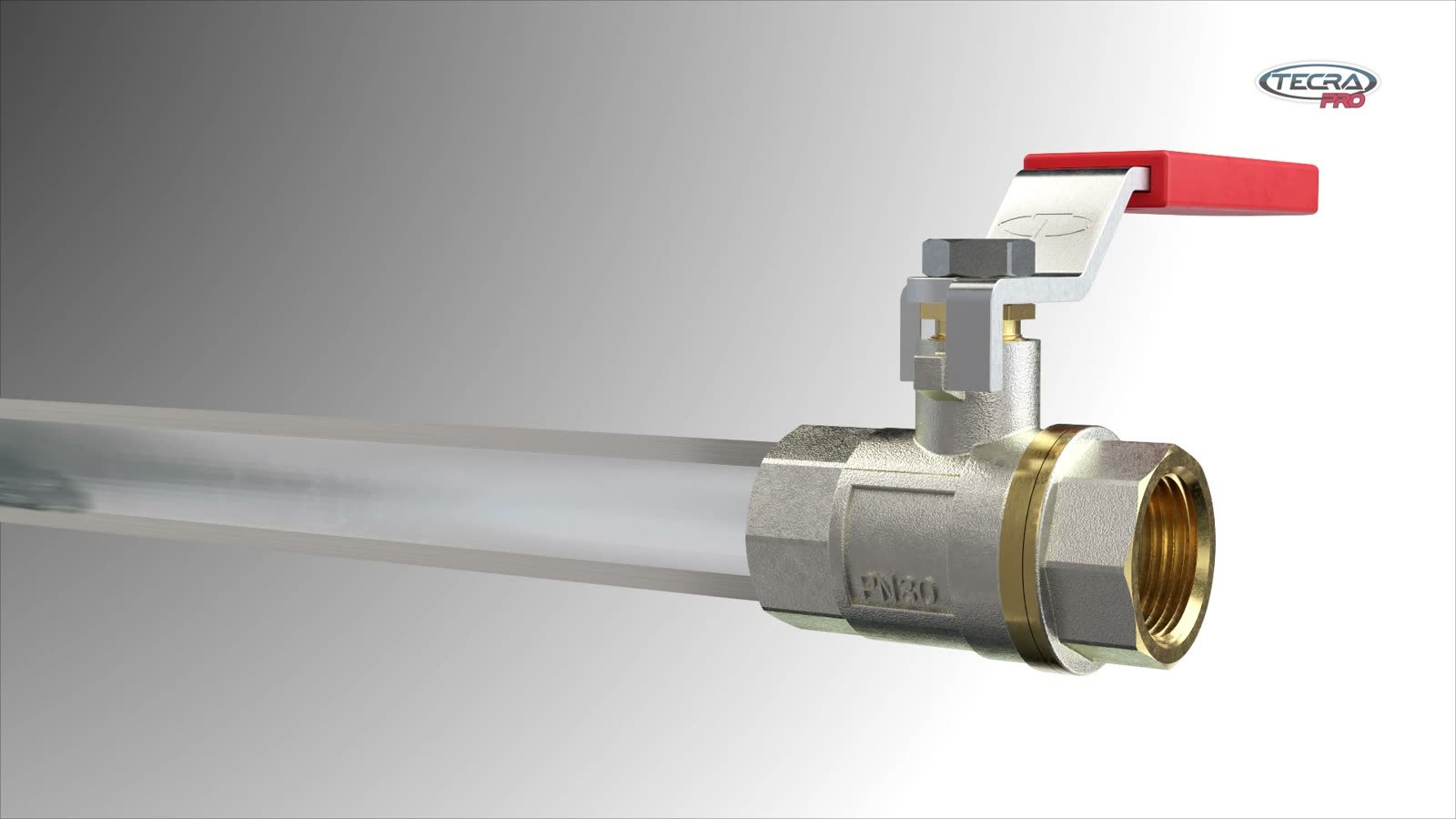
Two ball valves on a wholesaler’s shelf look almost identical but differ in price. The installer asks one thing: what am I paying extra for? Tycner from Mielec, Poland (tycner.com.pl), sells ball valves under its own TECRA PRO brand, and their advantage is hidden inside — in the materials and seals. A 3D animation built from the CAD file brings that advantage to the surface and shows it in seconds.
Why show a product in 3D animation

With valves and fittings, the choice depends on what the buyer cannot see: the body material, the seals and how easy the valve is to service. A photo shows only a shiny casing, and a spec table turns the advantages into abbreviations few people read. A 3D animation opens the product and shows its inside so that everyone understands it at once.

It is a simple route to better sales. The sales rep does not need long explanations, the wholesaler has a clear argument at the counter, and the installer sees for themselves what they are paying for. One film works on the website, on social media, at trade shows and in conversations with customers — and every time it says the same thing, equally well.


Do you have a CAD file of your product?

An exploded view, a cross-section and variants from one file are the fastest way to a product animation. The calculator gives an estimated cost — the result takes two minutes.

Check the estimated cost

What a brand gains from 3D animation

  1. Shows the inside of the productAn exploded view and a cross-section reveal materials and seals you cannot see on the shelf or in a photo.
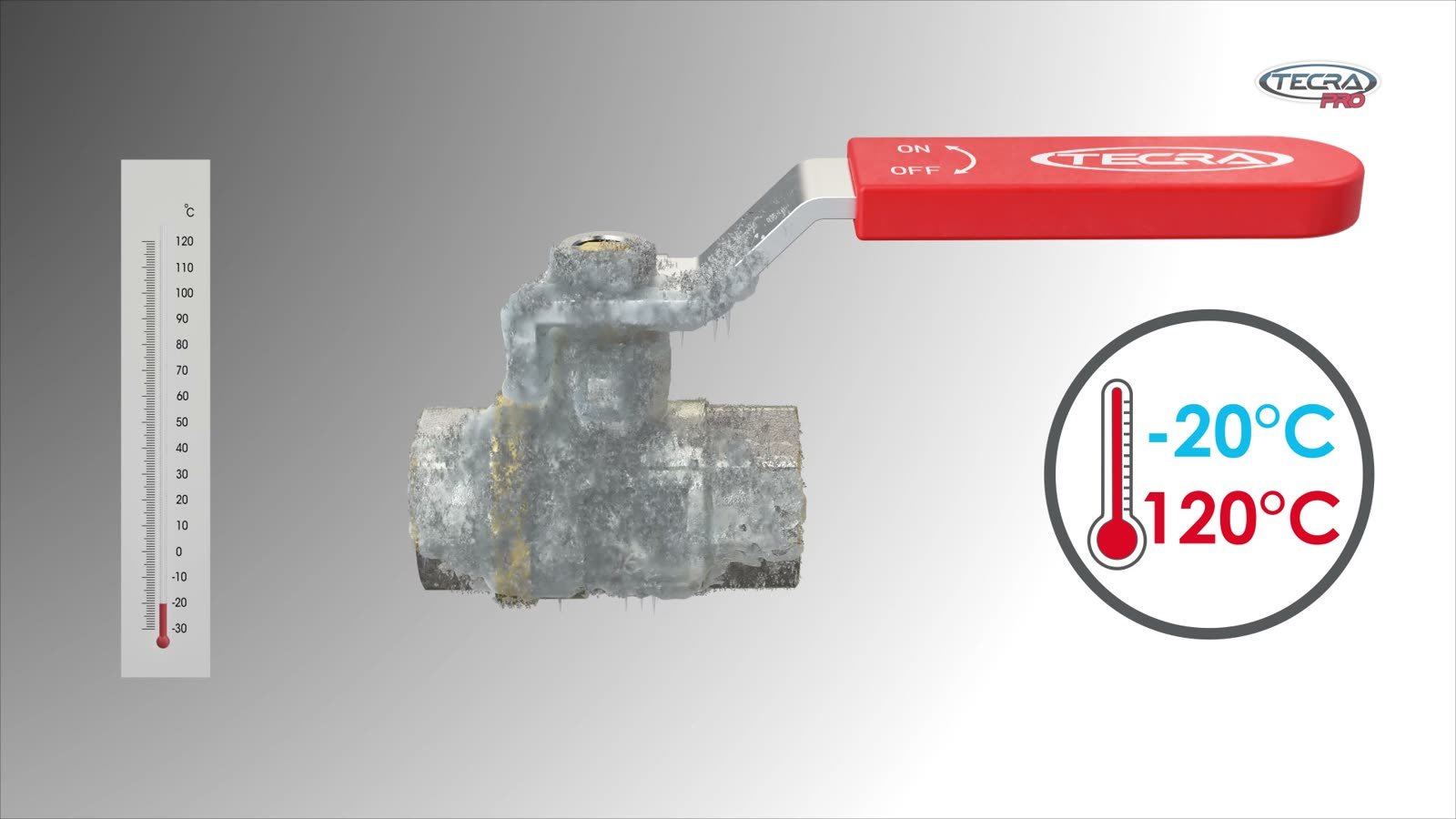
  2. Brings parameters to lifeInstead of numbers on the box, the viewer sees the valve in frost, in hot steam and under pressure. An image like that stays in memory longer than a table.
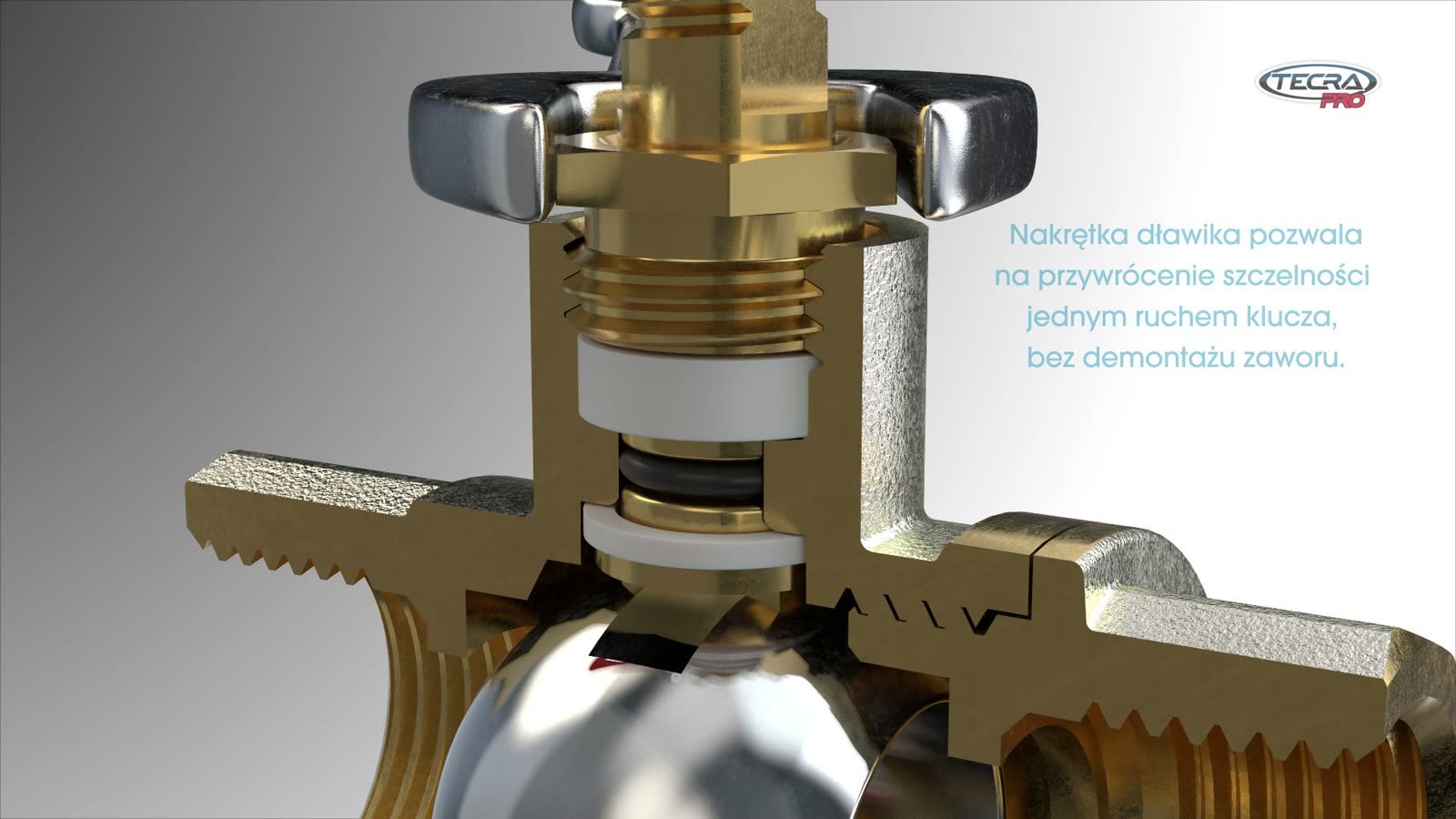
  3. Gives the installer an argumentThe cross-section shows that one turn of a wrench restores tightness without dismantling the valve. That is real time saved on site.
  4. Matches the product in the warehouseThe animation was built from the CAD file, so the shape and proportions of every part match the valve the installer holds in their hand.
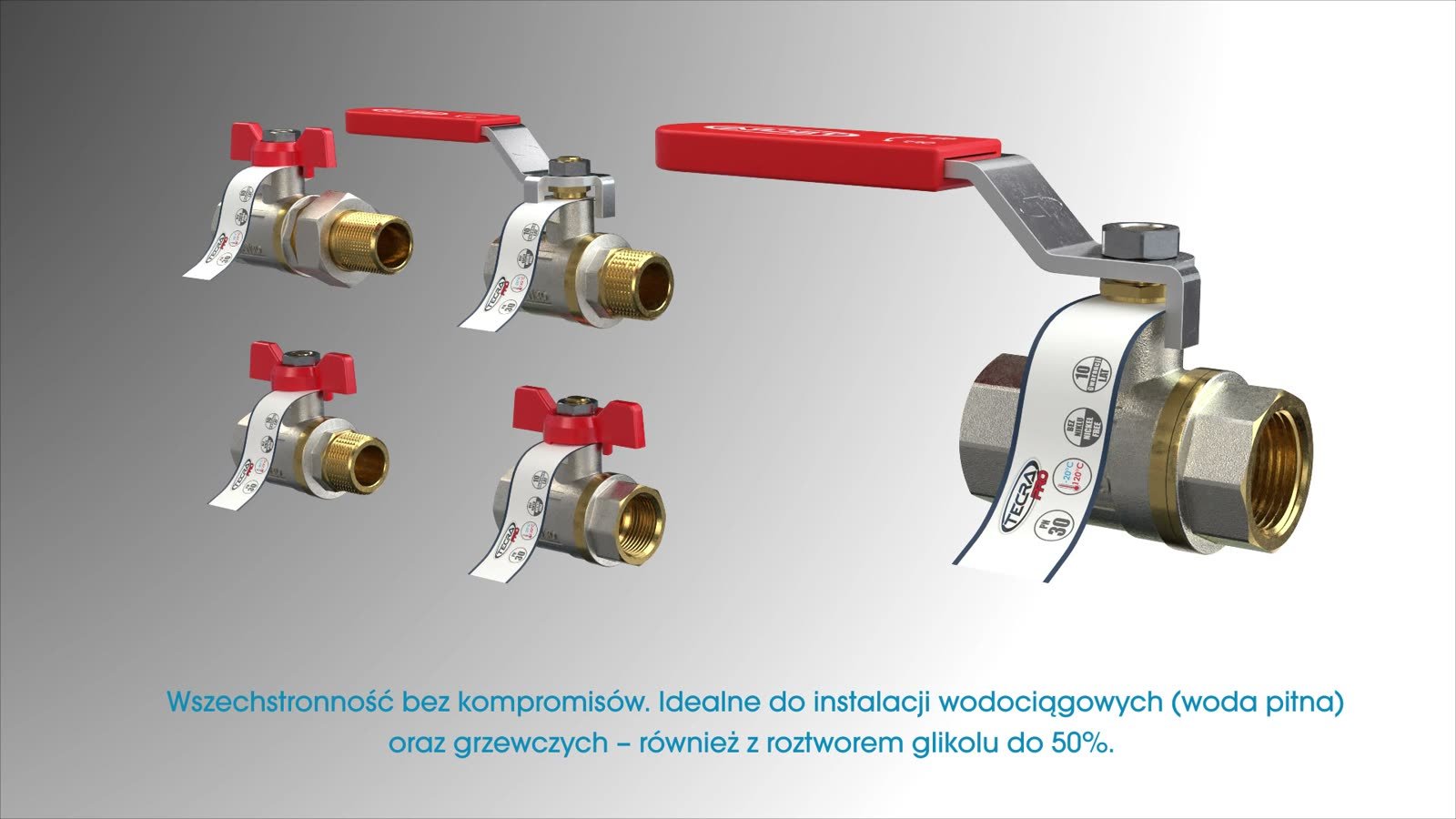
  5. One model, five variantsAll versions of the valve come from the same CAD files, so the next product variant does not require production from scratch.
  6. Works across many channelsThe full film on the company website and YouTube, plus short vertical Shorts made from single scenes.

Parameters are easier to remember when you can see them

Nominal pressure, temperature range and warranty length are familiar from every box — which is exactly why these numbers blur together. In 3D creative work each of them can get its own image: a frosted valve, hot steam or a pressure gauge on a pipe. The catalog claim is backed by a picture, and the viewer remembers a scene instead of a figure.


PN 0
nominal pressure
0°C
lowest operating temperature
0°C
highest operating temperature
0years
manufacturer’s warranty
0%
glycol solution in heating systems

Parameters from the TECRA PRO animation boards (manufacturer: Tycner Sp. z o.o.). Nickel-free design.


TECRA PRO valve covered in frost at -20°C
-20°C — valve covered in frost
TECRA PRO valve on a pressurised pipe, gauge at 30 bar
Pressure — gauge at 30 bar

You can see what the valve is made of

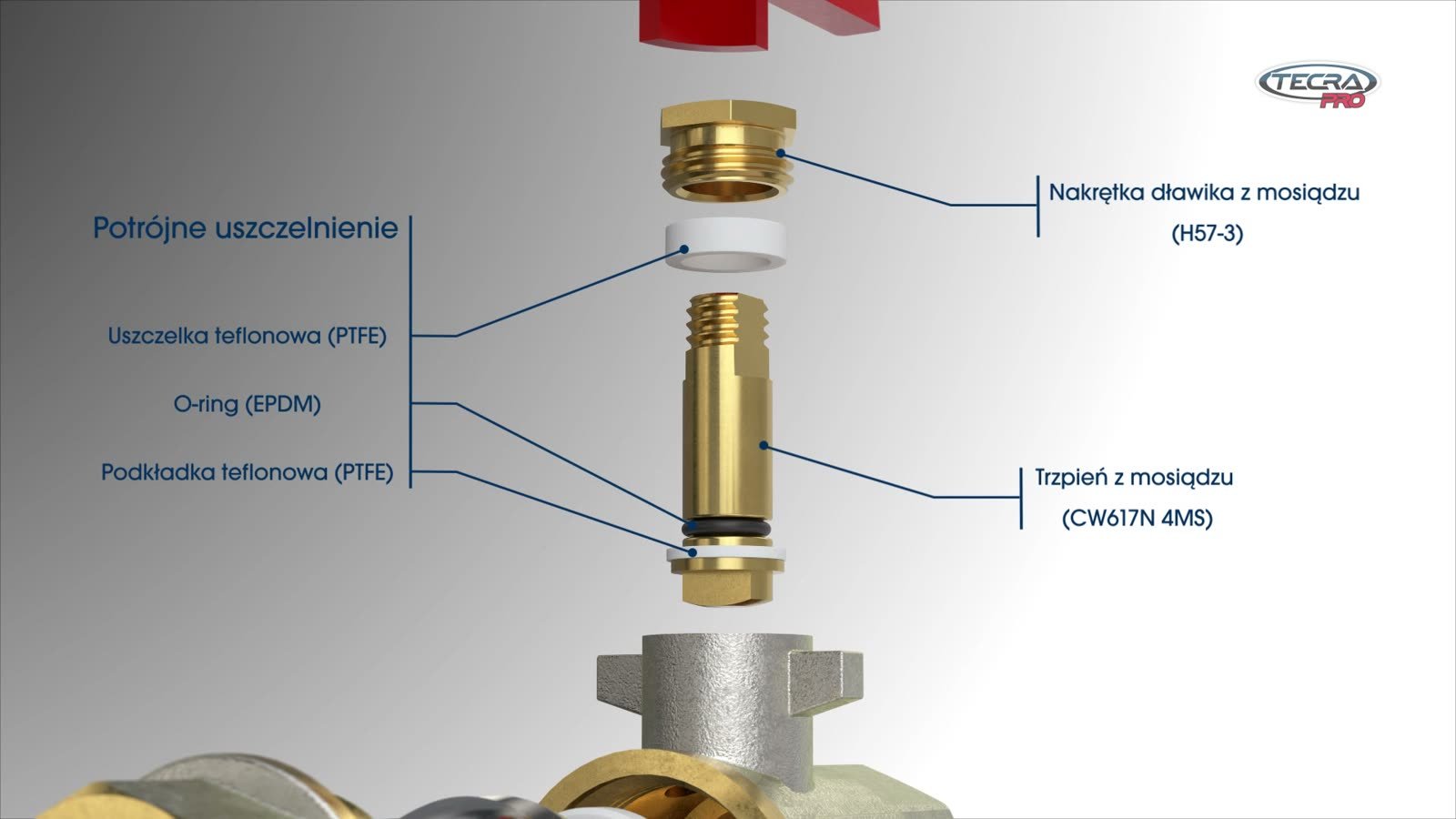
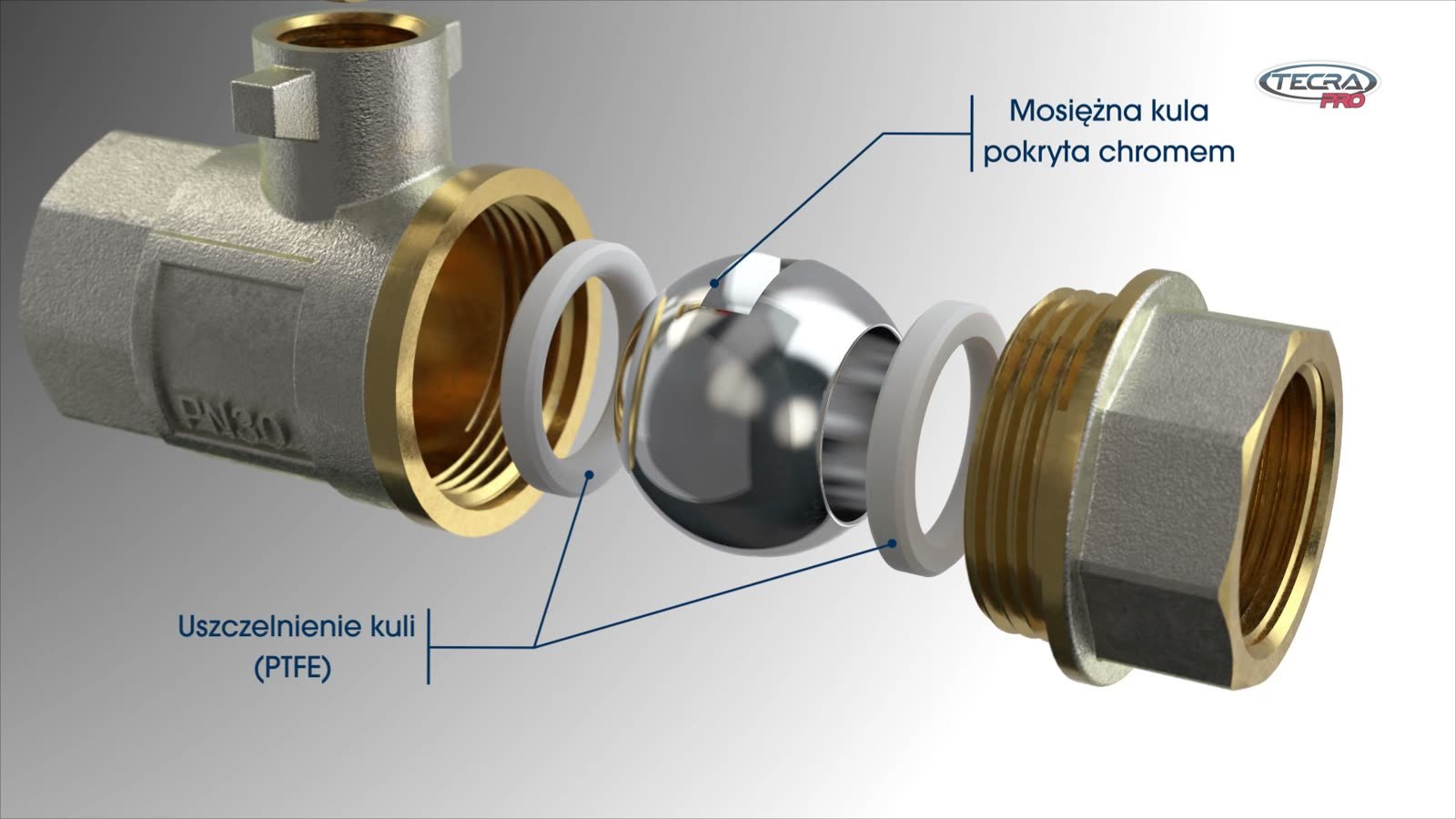
3D creative work lets you take a product apart and stay with each part for as long as needed. The name of the material — brass, stainless steel, PTFE or EPDM — stops being an abbreviation in a table and is pinned to a specific part.

For wholesalers and installers it is clear proof of quality. For the marketing team it means ready-made images for the catalog, the product page and social media — without a photo shoot and without taking a real valve apart.


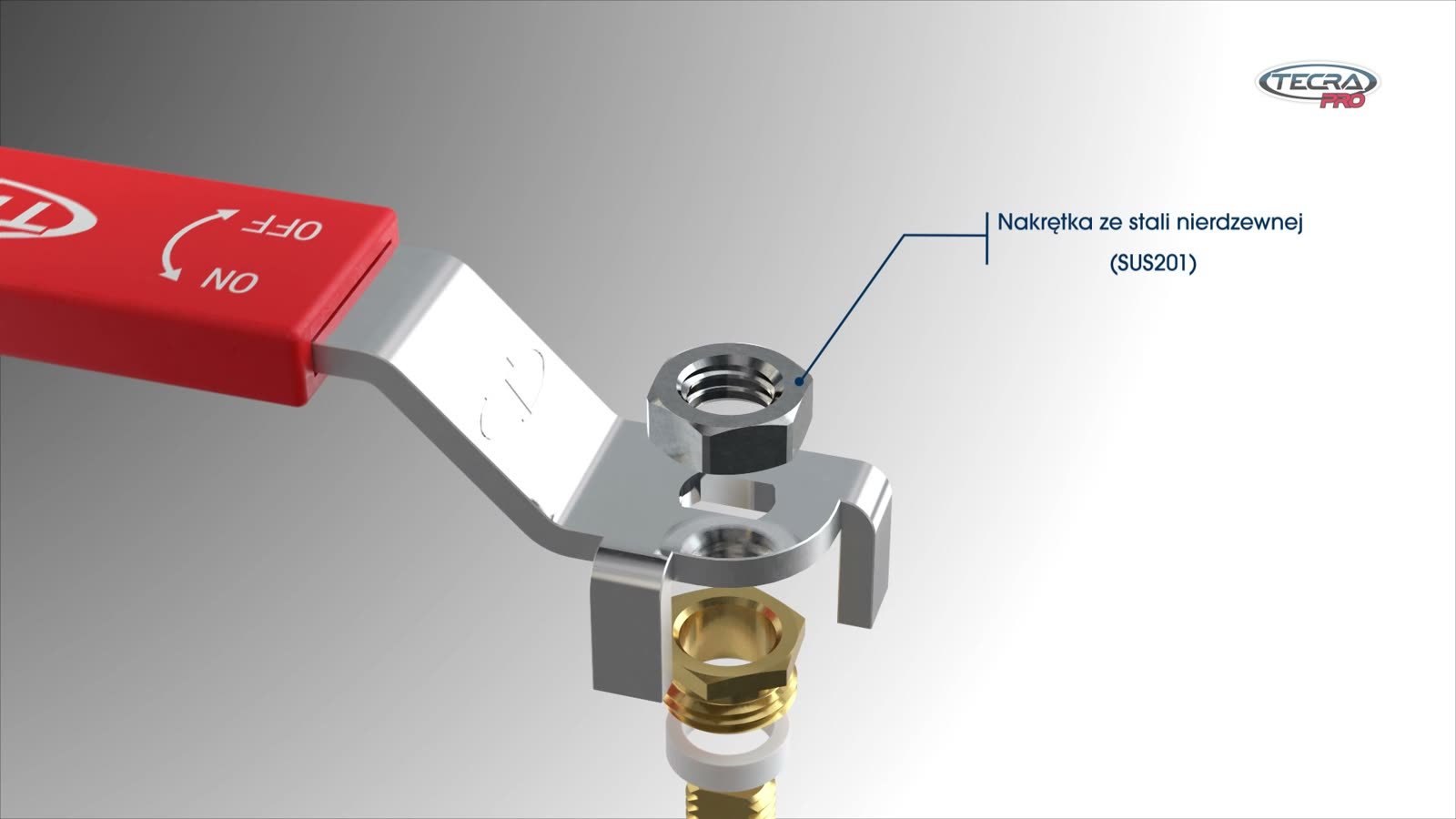
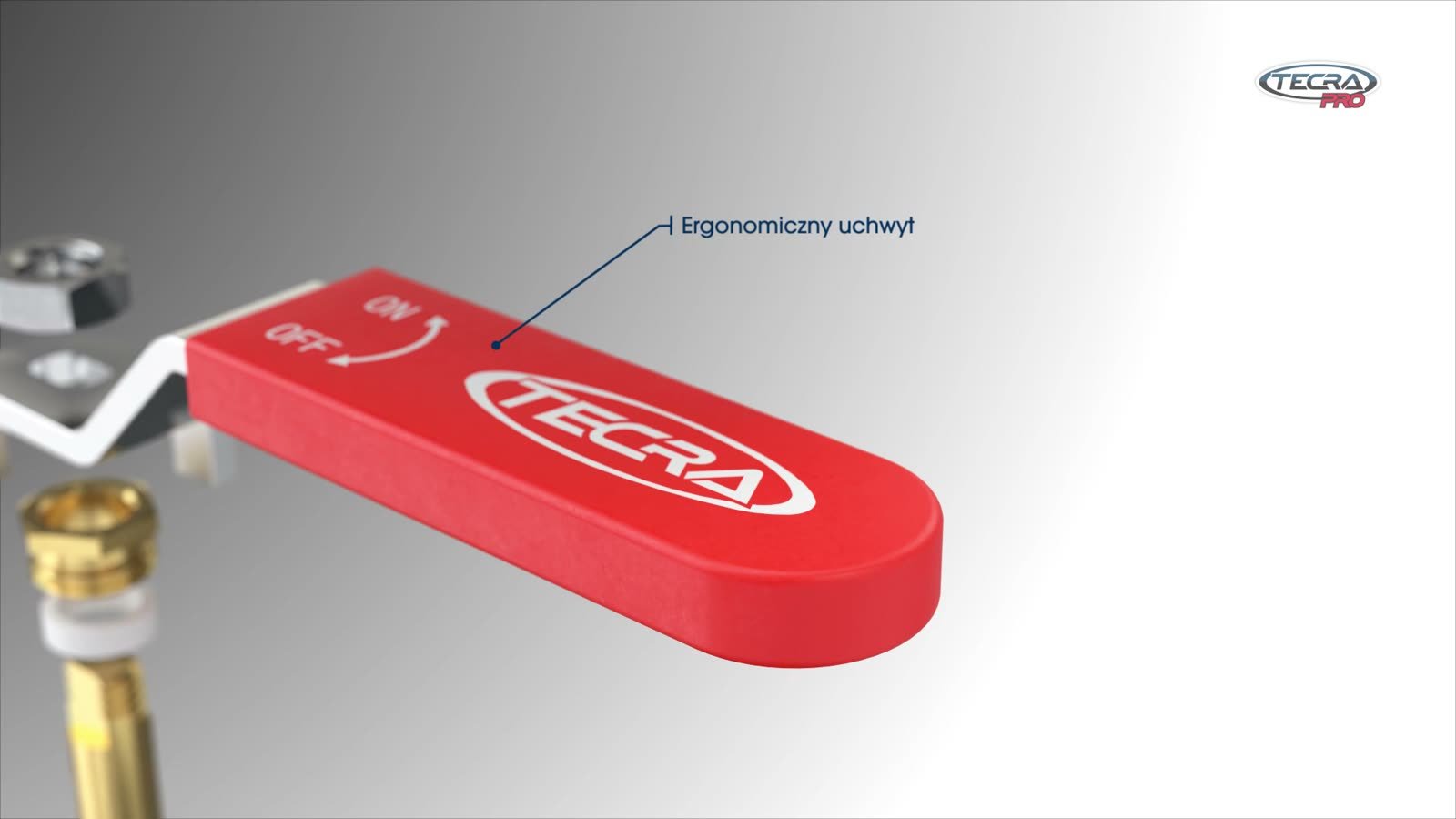
Ergonomic handle of the TECRA PRO valve
1. Ergonomic handle
Stainless steel nut
2. Stainless steel nut
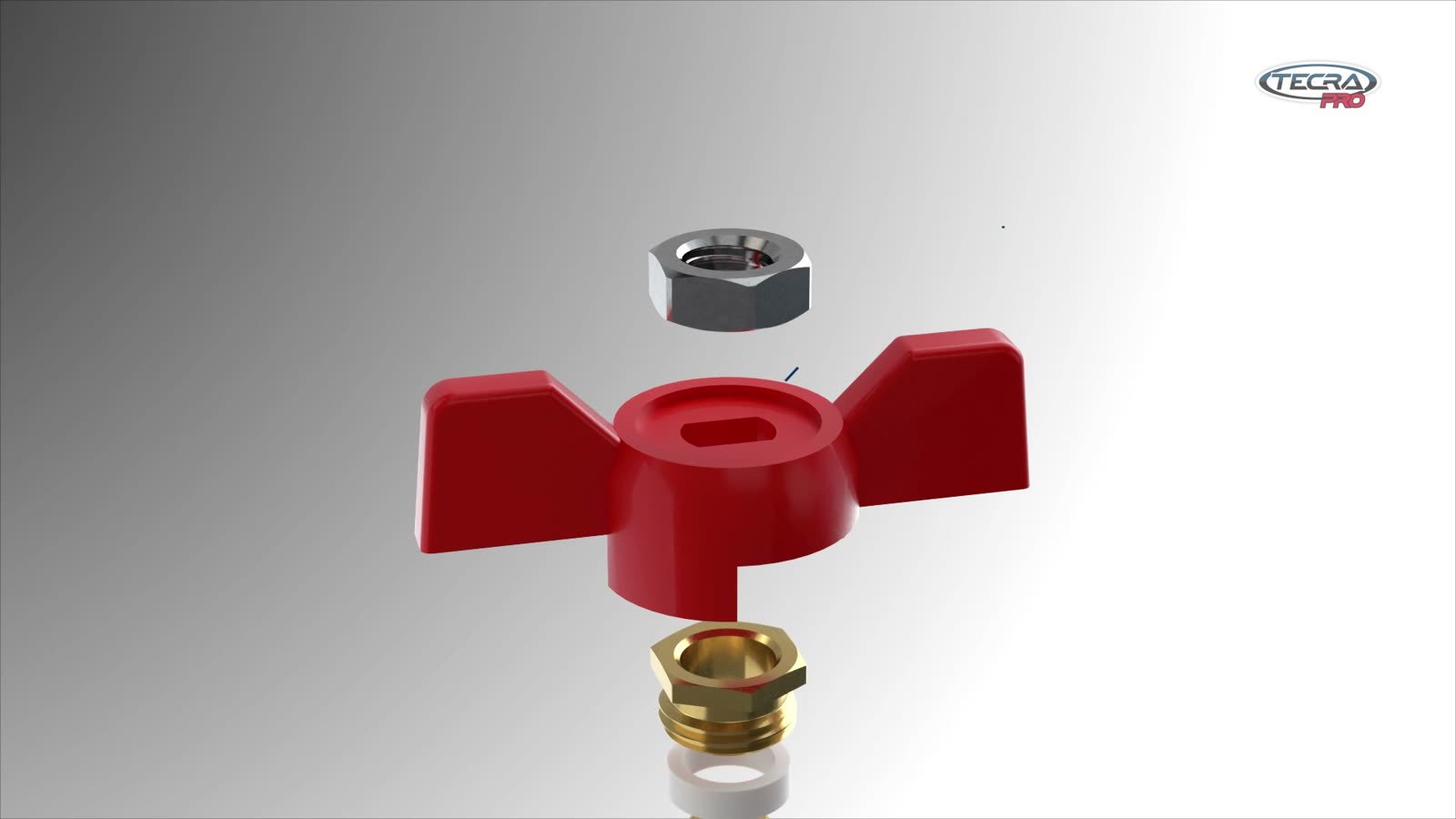
Aluminium butterfly handle
3. Aluminium handle — butterfly version
Triple stem seal: PTFE, EPDM, PTFE
4. Triple stem seal
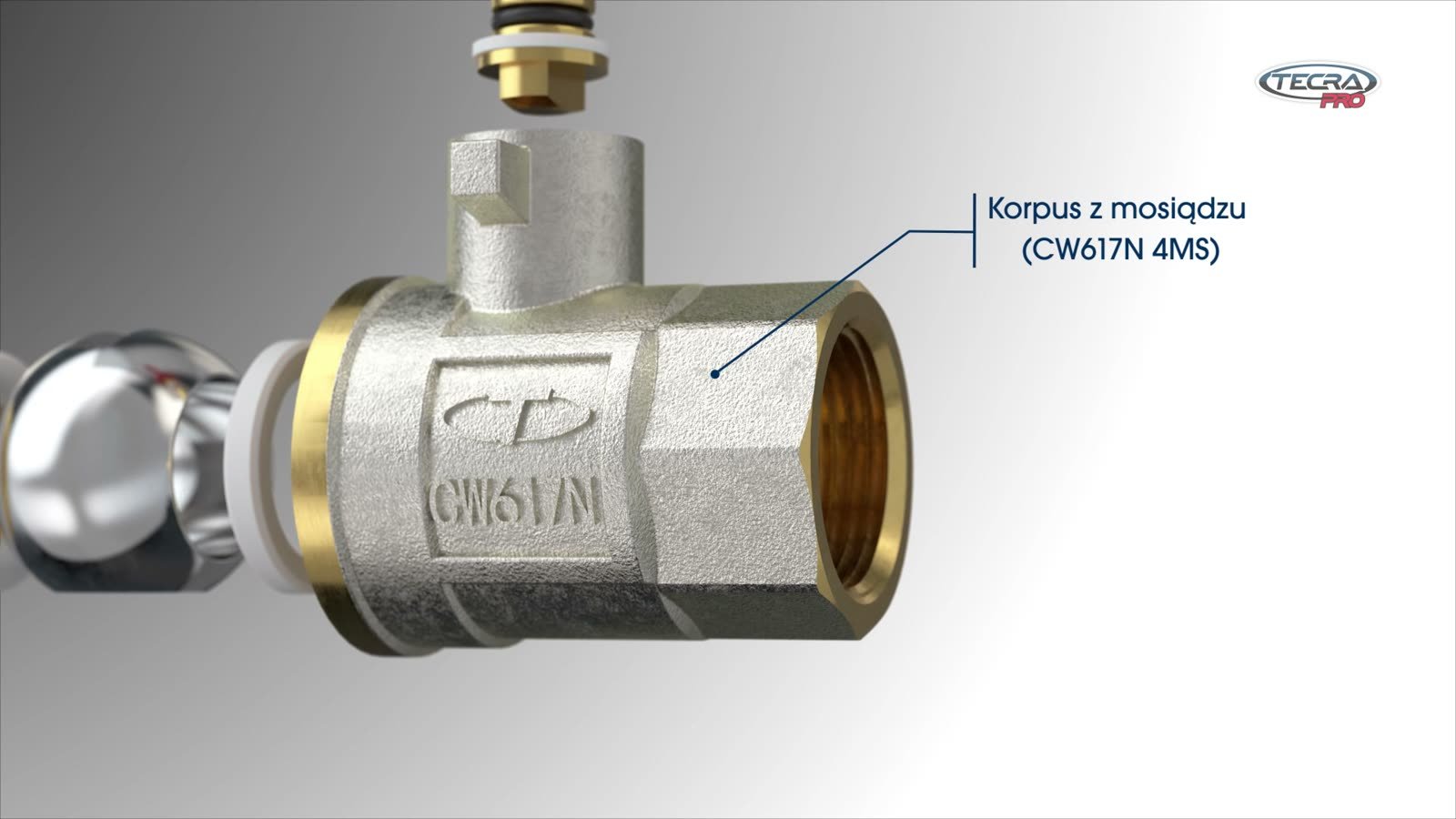
CW617N brass body
5. Brass body
Chrome-plated brass ball with PTFE seal
6. Chrome-plated ball — with PTFE seal
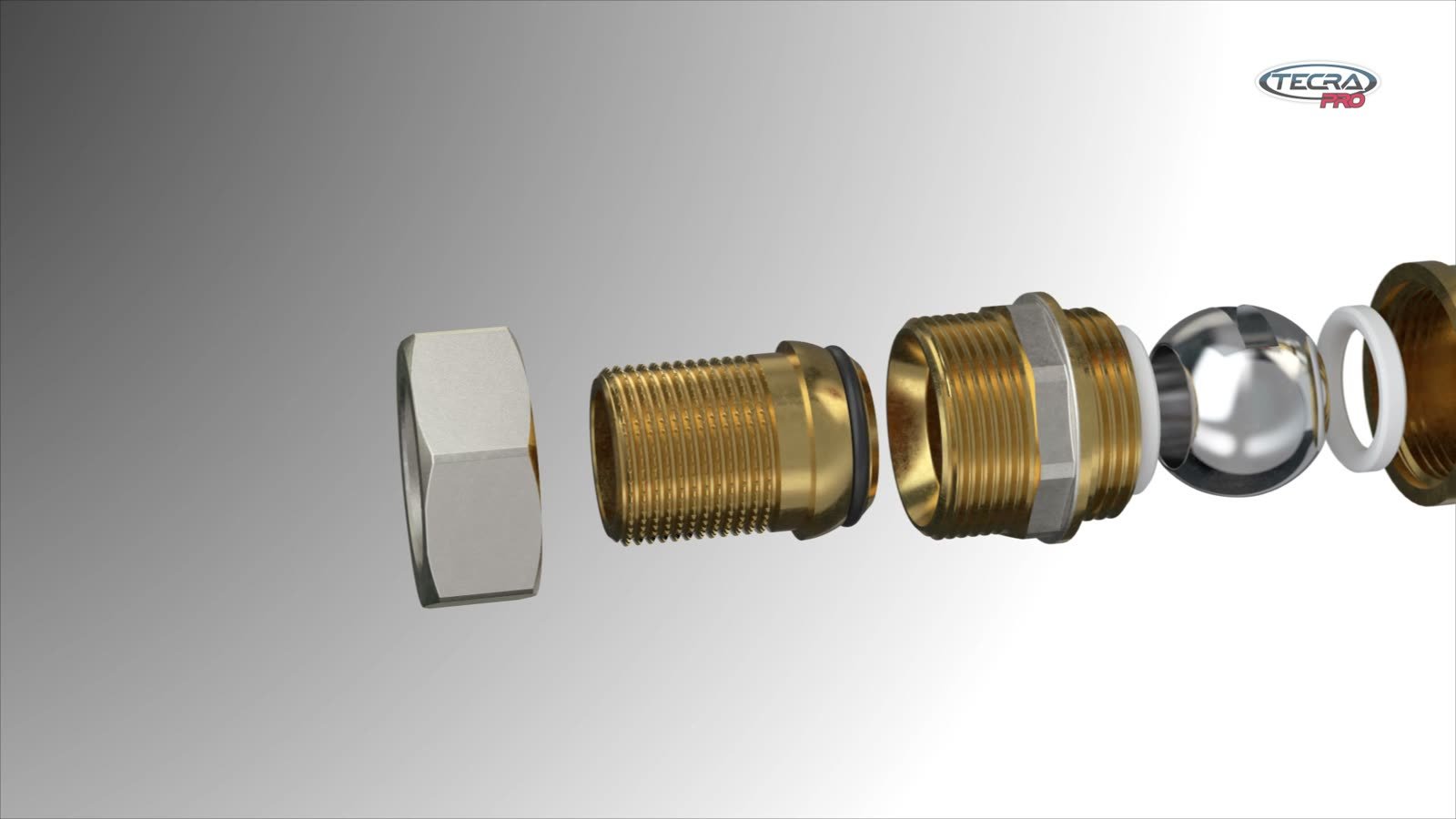
Union end — cap nut, O-ring, nipple
7. Union end — cap nut, O-ring, nipple

The valve can be resealed without dismantling

The strongest argument for the installer is hidden inside the valve. The gland nut restores tightness with one turn of a wrench, without dismantling. Describing this in words takes a paragraph of technical text, while a 3D cross-section shows it in a few seconds and turns straight into a benefit: less work during servicing.


Valve cross-section — the gland nut restores tightness without dismantling
The cross-section shows the inside of a working part — something no photo can show.

One CAD file produces many materials

All valve variants — with a lever or a butterfly handle, with female or male thread, with a union end — come from the same CAD models. One production delivered the full film and three short vertical Shorts, each with a single scene.

Today the film works on Tycner’s YouTube channel, in the TECRA PRO valve guide and in the Product videos section of the company website (in Polish). The same material also works on a screen at the wholesaler’s counter and at a trade show booth.


Five TECRA PRO valve variants and their applications
Five valve variants from one set of models — with applications in drinking water and heating systems.

Temperature and pressure

The valve taken apart

Cross-section and easy servicing


The same challenge — a product whose value is hidden inside while from the outside it looks like any other — is solved by the mattress cross-section in the project for Magnat. Plumbing fittings shown in 3D also appear in the project for USTM, where instructional films replaced paper installation manuals. More on how animations and renders are made from CAD files: 3D product animation.


Frequently asked questions

Questions valve and plumbing component manufacturers ask most often when planning a product animation — about files, formats, channels and cost.


Can a product animation be made from the design department’s CAD file?

Yes, it is the fastest route. The CAD file gives the exact dimensions of every part, so the exploded view and cross-section match the real product to the millimetre. Rendering only adds materials, light and a camera.

With valves and fittings this matters especially, because buyers — installers and wholesalers — know the product by hand and will spot any inaccuracy. An animation built on CAD looks credible from the start.


How do you show product quality that is hidden inside?

The simplest way is to take the product apart, label the materials where they sit and show the key solution in cross-section. In a ball valve, quality is decided in the stem and ball seals and in the body material — none of which is visible from the outside.

A step-by-step exploded view, like in the TECRA PRO animation, turns a datasheet into a picture. The customer sees what they pay for instead of reading about it in a table of material codes.


Is it worth showing technical parameters in an animation?

Yes, if every parameter gets its own image. Numbers on a board are quickly forgotten, while a frosted valve at -20°C or a gauge at 30 bar stays in memory.

In the TECRA PRO animation the parameters come from the manufacturer’s materials and are shown exactly as Tycner states them. The animation adds no data of its own — it illustrates what the manufacturer declares.


Can one film be turned into Shorts and Reels?

Yes, if the full animation consists of short, self-contained scenes. Each scene — parameters, exploded view, cross-section — can be cut out and reframed vertically, like the three Shorts on Tycner’s channel.

It is best planned at the script stage: then shots are composed so the product also fits a vertical frame instead of being cropped out of it.


How much does a product animation with an exploded view and cross-section cost?

The cost depends on the number of parts, variants and scenes, and on whether a ready CAD file exists. An exploded view and a cross-section from one model take less work than several separate films, and further product variants are then relatively inexpensive.

The pricing calculator shows an estimated cost in two minutes. An exact quote follows after reviewing the files and talking about the channels where the film will work.


Have a similar project?

Describe your product and the channel where the animation will work — we will reply with suggested shots and a quote.