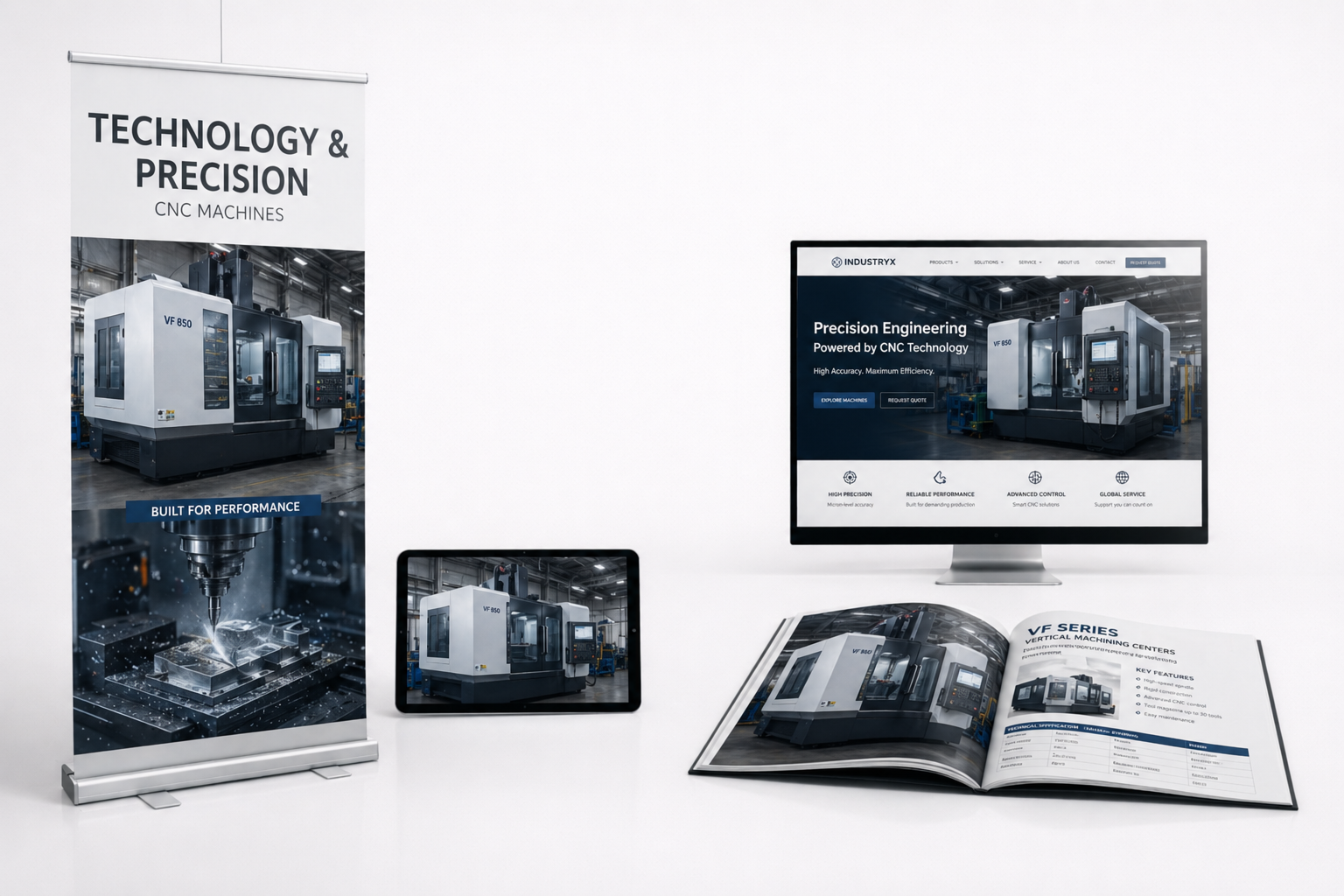

3D product animation puts your product in motion - showing how it works, what is inside, and why it is better, in a short clip built from your CAD data or product files. It is the format buyers actually watch: on a product page, at a trade show or in a sales deck.
A still shows the product; an animation shows the argument.
3D animation of products - one model, many cuts
From a single 3D model we build the whole range of product motion: a hero spot for a campaign, a looping animation for a product page, an exploded view that shows the build, a 360° turntable for e-commerce. Same asset, cut for every channel.
Why one model pays off across a year of marketing:
- Every new variant is a re-render, not a re-shoot - colour, finish or size changes cost a fraction of the first animation.
- One master, many formats - 16:9 for the site, vertical for social, silent loop for a trade-show screen.
- Nothing physical required - animate a product still in production, at a customer's site, or not yet manufactured.
- Consistent look - the whole range moves and lights the same way, which a series of separate video shoots never achieves.
Need a still image instead, or as well? That comes from the same model - see our product visualization. For a full campaign spot, see advertising spots; for the mechanism itself, a technical animation.
Product animation for technical and consumer sectors alike
We produce product animations across industries - machines, components, medical devices, HVAC, packaging and consumer goods. The common thread: a product whose value is easier to show moving than standing still.
For AFL Motors we animated a fan as an exploded view - the components separating in mid-air to show the engineering a photograph flattens into a single surface.
Who a product animation helps
Sales teams shorten the explanation; marketing gets content that performs on a product page and in social; distributors and resellers get material that sells for them; training and onboarding get a clear, repeatable sequence. One animation, many jobs.
With 3D you can explain a complex technical process or a medical procedure, present a product that does not physically exist yet, or show a variant without building it - all from the same model.
Where it changes the conversation:
- On a product page - motion answers "how does it work" before the visitor leaves to compare suppliers.
- In a sales meeting - thirty seconds replaces a diagram and a monologue.
- At a trade show - a silent loop pulls people to the stand and explains itself without staff.
- Through distributors - partners who don't know your engineering can still sell it correctly.
- In training and service - assembly and maintenance shown once, the same way every time.
Real examples: AFL Motors (exploded fan assembly) and Knauf Therm (insulation product in motion) and Tycner (a ball valve taken apart part by part).

What a product animation shows better than a photo or a video shoot
Most products look ordinary from the outside. A valve looks like every other valve on the shelf, a burner is a metal box, an air spring is hidden under a truck. The features that justify the price sit inside the housing or deep in the machine, where neither a photographer nor a film crew can get. A 3D product animation built from your CAD files can go there. These are the four things it does best, each with an example from our own work.
- Take the product apartParts separate in mid-air and each one is labelled with its material, so the buyer sees what they are paying for. Example: the Tycner ball valve.
- Cut it openA clean cross-section shows the process inside: fuel dosing, ignition and the flame in a Mocek pellet burner.
- Go where no camera canThe camera drives under a moving trailer and stops on the suspension, as in the animation of NEOTEC air springs for Tip-Topol.
- Show every versionOne model shows all materials, colours and lighting options, by day and at night, as in the Mega-Holz fence and planner animation.
Scroll to take a ball valve apart
Two ball valves on a wholesaler's shelf look almost the same, yet one costs noticeably more. The installer asks one question: what am I paying extra for? The animation of the TECRA PRO valve, made from the manufacturer's CAD file, answers it without a word. Scroll down and the valve comes apart, with a label on every part. Scroll back up and it assembles again.
Chrome-plated steel handle, stainless steel nut
Brass stem with triple sealing
CW617N brass body
Chrome-plated ball, PTFE seat
Scroll to take the valve apart ↓
Frames from the TECRA PRO valve animation for Tycner, built from the manufacturer's CAD file.
Did you know? Animation is not always better than a picture
In a widely cited review, Barbara Tversky, Julie Morrison and Mireille Bétrancourt looked at studies comparing animated and static graphics. Animation often did not beat a well-made still image when both showed the same information. It earned its place when it showed what a still image cannot: the order of movements, how parts interact and how something changes over time. That is the rule we work by. We animate the mechanism, and leave simple facts as clear stills.
A looping animation for your product page and trade show screen
A product page or a trade show stand does not need a two-minute film. It needs a short animation that plays on its own, without sound, over and over, so that anyone who looks at the screen understands the product within a few seconds. Below is a fragment of the burner animation for Mocek, cut as exactly that kind of loop.
The same model then works everywhere else. The full film goes on YouTube and the product page, short vertical cuts go to social media, and single frames are rendered in print resolution for catalogues and the stand graphics. You pay for the model once and use it in every channel. If you mainly need still images, see our 3D product visualization page; if the product is a machine or a process, technical animation goes deeper into mechanisms.
How a product animation is made
Four steps, all handled remotely. You see every version in your browser and comment directly on the scene.
1. FilesCAD files, drawings or photos, sent by secure link and covered by an NDA if needed.
2. Storyboardwe agree the key message, the shots and the channels the film has to work in.
3. Drafta rough version with camera moves and timing, where changes are quick and cheap.
4. Finalfull lighting and materials, then cuts for the website, social media, trade shows and print.
LET'S TALK
Let us know what you do, we'll tell you how to show it effectively in 3D.
Frequently asked questions
What is a 3D product animation?
A short clip that shows your product in motion - how it works, what is inside, how it is used - built from a 3D model rather than filmed.
How is it different from a product visualization?
A visualization is a still image; an animation adds motion - assembly, operation, a rotating view. Both come from the same model, so a still can become an animation later.
What do you need to make one?
CAD files give the most accurate result. Product photos, drawings or samples also work when there is no CAD.
Where do product animations get used?
Product pages and e-commerce, campaigns and social, trade-show screens, sales decks, training and distributor materials.
Can you show the inside or the assembly?
Yes - exploded views, cross-sections and cutaways show the build and the parts a camera can't reach, or parts that are hard to film while they work, like the NEOTEC air springs animated for Tip-Topol.
How long is a typical product animation?
Usually 15 to 60 seconds, often cut into shorter clips for social and product pages from the same render.
Can one animation be reused across channels?
Yes. One master render is cut for web, social, trade show and sales - different lengths and ratios from the same 3D work.
How much does a product animation cost?
Every project is quoted individually - it depends on complexity, length and whether CAD data is available. Use the calculator on our 3D page for a rough estimate; we return a firm quote within 24 hours.
Keep reading