

Ad Spot, Explainer or Technical Animation: Which 3D Video Belongs at Which Stage of a B2B Sale
Ad spot, explainer or technical animationwhich 3D video belongs at which stage of a B2B sale
An ad spot stops someone who has never heard of you. An explainer shows how the thing works. A technical animation removes the last doubt before an RFQ.
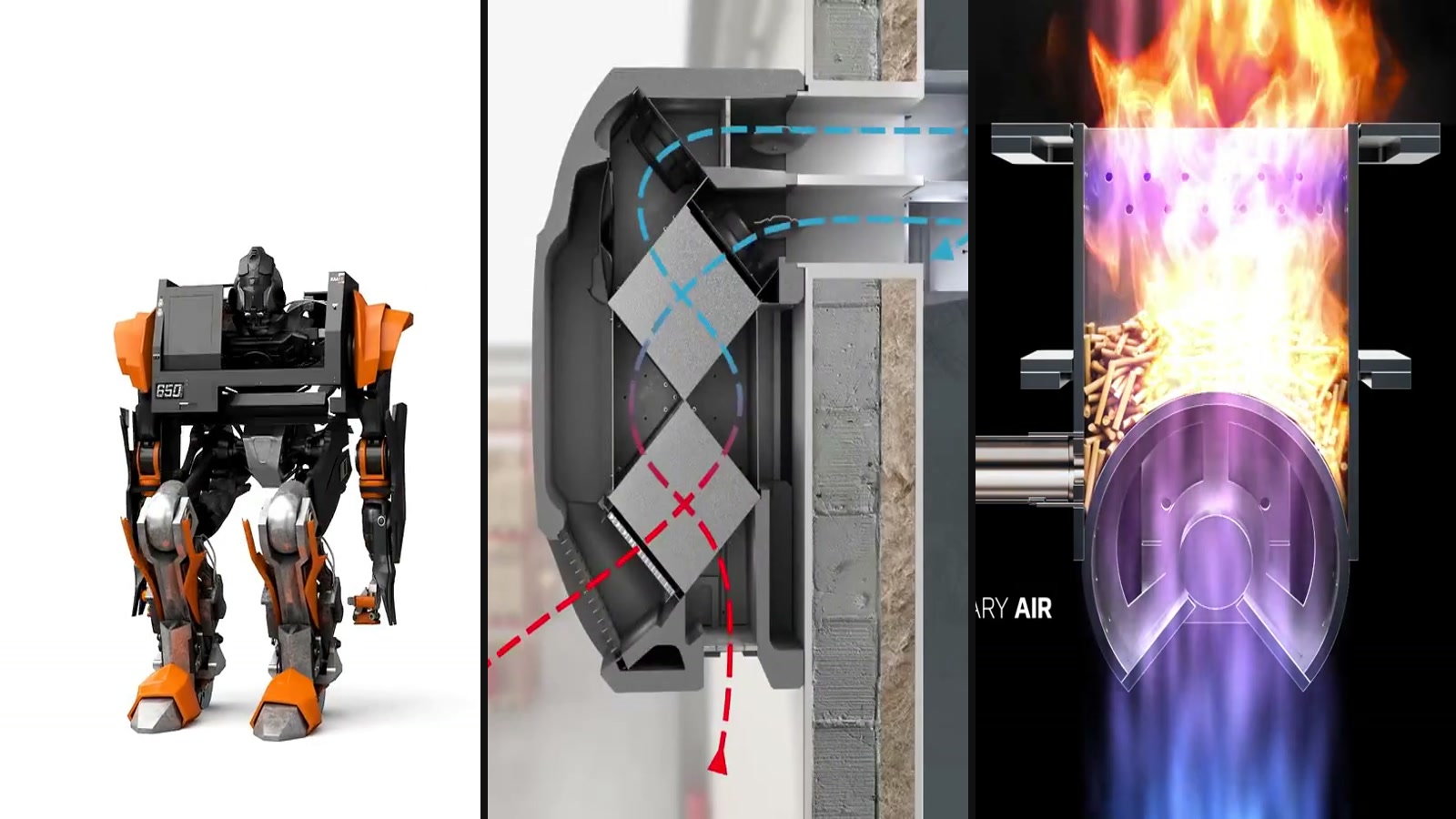
Shots from Modelight projects: KAAST, Knauf Therm, Mocek, Magnat.
On this page:
- First, the basics: what a sales funnel actually is
- The ad spot — when the buyer doesn’t know you exist
- The explainer — when the buyer is comparing options
- Explanation and advertising in one: the Knauf Therm case
- Technical animation — when the buyer needs certainty
- The three formats side by side
- The most common briefing mistake: one film for everything
- How to pick the format for your situation
- Frequently asked questions
First, the basics: what a sales funnel actually is
Before we compare formats, one term needs pinning down, because everything else hangs off it. A sales funnel is a simplified map of the journey a buyer makes — from the moment they have never heard of your company to the moment they send a request for quotation. The name comes from the shape: plenty of people at the top, still looking around; a handful at the bottom, actually buying.
In B2B that journey tends to be long. The decision usually involves several people from different departments, the budget has to be defended in front of a board, and months can pass between first contact and a purchase order. The buyer is looking for information the whole time — and what they find at each stage genuinely affects whether they move on.
Three moments are enough for our purposes, because each one asks a completely different question:
- Top of the funnel — the buyer isn’t looking for anything. They don’t know your brand, and sometimes don’t even realise the problem you solve applies to them. The question here is: what is this?
- Middle of the funnel — the buyer knows they have a problem and is working out who can solve it. Your solution is open in one tab, two competitors in the others. The question here is: how does it work, and how is it different?
- Bottom of the funnel — the buyer has settled on a direction and is now hunting for reasons not to get this wrong, plus material to defend the choice internally. The question here is: will it work in my setup?
Those questions sit far enough apart that no single video answers all three. A film that stops people at a trade show will be too shallow for an engineer checking construction. Run it the other way and a precise cutaway won’t stop anyone scrolling LinkedIn. Hence three formats rather than one.
The ad spot — when the buyer doesn’t know you exist
An ad spot has one job: stop someone who wasn’t looking for your product. Everything else is subordinate to that. Length is counted in seconds, the pace is quick, and the message comes down to a single thing the viewer should walk away with. A spot deliberately doesn’t explain how anything works, because nobody is asking that yet — the question at this stage is closer to what is that, and why should I keep watching.
It earns its keep where you are competing for attention with the rest of the world: paid reach on LinkedIn, the screen on a trade show stand, the header of a website, an email to a list that doesn’t know you yet. The quickest way to ruin a spot is to cram a spec sheet into it. The material then becomes too slow to scroll past and too shallow to analyse — it works at no stage at all.
An ad spot — the job is brand recall, not explaining construction.
When 3D does something a camera cannot
In a spot, 3D offers an advantage footage struggles to match: the product can behave in ways physics doesn’t allow. In our work for KAAST a CNC lathe unfolds and turns into a robot — a sequence nobody can shoot, because no such machine exists. The point was never to explain how the machine cuts metal. The point was to make the brand stick in a hall full of competing stands.
The same logic drives consumer product work, where form, material and light carry the message rather than a cutaway — as in the product animation for Genesis.
From 3D wireframe to finished shot — a KAAST machine tool turned into a robot.
The explainer — when the buyer is comparing options
An explainer is built to transfer understanding, not to impress — and whether it should be built in 3D or in flat 2D depends on what it has to show. It shows the principle: what happens inside the housing, the order of assembly, where the medium flows, what changes when a function switches on. This is material for someone who already knows they have a problem and is putting your solution next to two others.
It runs longer than a spot — usually a minute to two — because it needs the time to walk through a mechanism. Its natural home is a product page, an attachment to a quote, a slide in a sales meeting, and training for the distributor who will sell your product on your behalf. This is also the stage where 3D starts beating a camera outright: heat transfer, pressure in a circuit and parts moving inside a sealed housing simply cannot be filmed.
In the work for AFL Motors the explainer takes a fan apart and labels every component on screen — the bearings, the mounting console, the EC motors with their power ratings. That same 3D model later fed the advertising animations, the catalogue visuals and the trade show material.
An explainer — a fan taken apart, every component labelled on screen.
Explanation and advertising in one: the Knauf Therm case
Splitting video into three formats is convenient when you are planning. In practice the boundaries blur. Sometimes a single piece has to look like advertising and explain like an explainer at the same time — because it lands in a channel where nobody stops for a dry cutaway, and the specifics still have to get through.
Knauf Therm is a good example. The problem is typical of building materials: insulation only does its job hidden — inside walls, under floors, beneath the roof. In a finished building you cannot show it without taking a wall apart. What we built was a cross-sectioned model of a house with the layers partly peeled back, and the application point of every product marked directly on the building.
The material works on two levels at once. Visually it is an attractive architectural render that holds its own on social media and on a website. Substantively it is a map of applications a salesperson can walk through point by point. The same set of models later went onto the manufacturer’s site as an interactive presentation, and into catalogues and printed material.
A product that only works out of sight
A cutaway shows what no camera can film
Every application marked on the building itself
One asset: advertising and explanation at once
Knauf Therm cross-section — scroll the page to drive the animation.
Technical animation — when the buyer needs certainty
A technical animation sits closest to documentation and furthest from advertising. Its job is to take risk out of a decision: it shows construction, layers, materials, cutaways and the details that occupy three pages of tables in a quote. The person watching is usually not the client’s marketing team but a technical lead who has to say „yes, this will work for us” — or block the purchase.
It is the format for products whose value sits inside, out of sight. In the Magnat Mattresses work a 3D cross-section shows the layers in sequence — pocket springs, latex, foam, coir — in a single image instead of a wall of specification text. A buyer has no way to cut a product open in a shop, so until they see this, they are buying blind.
Industry works the same way. For Hexonic we produced cutaways opening up the inside of a heat exchanger, together with an animation of the heat transfer itself — a process no camera will ever record, because it happens inside a sealed housing and is invisible to begin with.
Technical animation — heat transfer, a process no camera will record.
The three formats side by side
The table below is not a ranking. None of these formats is better than the others — each answers a different question, and each loses its point when used at the wrong moment.
| Ad spot | Explainer | Technical animation | |
|---|---|---|---|
| Funnel stage | top | middle | bottom |
| Viewer’s question | what is this? | how does it work? | will it work for me? |
| Job to be done | stop the scroll | transfer understanding | remove risk |
| Audience | anyone scrolling past | someone comparing quotes | technical lead, board |
| Where it works | LinkedIn, trade shows, page header | product page, quote, training | quote attachment, documentation |
| What ruins it | a spec sheet crammed in | style in place of mechanism | simplifying for a prettier shot |
Already know which format you need?
Get a ballpark figure from the calculator, or call us — a few minutes is usually enough to say whether 3D makes sense for your product at all.
The most common briefing mistake: one film for everything
The sentence that opens most project conversations is „we need a video about the product”. It says nothing about who should see it or when — and everything depends on that: length, pace, level of detail, whether we go inside the housing at all. Material built to satisfy everyone usually lands with no one.
The good news is that you don’t have to pick one format and give up the rest. The expensive part of the project is building the 3D model; the shots themselves are considerably cheaper against it. One model, once built, carries the next formats for years.
In the HF Inverter work the starting point was a folder of CAD files. What came out of it was catalogue visuals, trade show material, an explainer and an interactive 360° presentation on the website — a full set covering the whole funnel, ready before a physical prototype existed.
HF Inverter — material built from CAD files, before a prototype existed.
At AFL Motors the same model fed advertising animations, visuals, catalogues, leaflets, an explainer and large-format graphics for a stand. That changes how the budget adds up: a 3D model is not the cost of one advert, it is a component that serves one channel after another — and the cost per piece of material falls with every format you add.
How to pick the format for your situation
Rather than starting with a format, start with four questions. The answers usually point to what should be made first.
- Who has to see it, and do they already know you? If they don’t — you need a spot. If they know you and are comparing — an explainer. If they know you, have compared, and are hesitating — a technical animation.
- Where will it play? Trade show material follows different rules from an attachment to a quote. Settle the placement before the script.
- Is the product’s value visible from the outside? If not, a cutaway will do more than the best-lit packshot.
- Where are you actually losing buyers? If nobody knows you, a technical film won’t help. If enquiries arrive but never turn into orders, a spot won’t fix that. Start with the stage where something is jamming.
If the answer to any of these isn’t obvious, the usual move is to start with one 3D model and one format, then add the rest once you know where the material is genuinely needed.
Not sure which format fits your product?
Send us a CAD file or a few product photos — we’ll tell you honestly what can be made from it and where to start, so the material actually works in sales.
Tell us about your productbiuro@modelight.pl | +48 509 510 197
Frequently asked questions
What is the difference between an explainer and an ad spot?
The job. A spot has to stop someone who wasn’t looking for your product — it is short, fast and comes down to one message. An explainer has to show how something works to a buyer already comparing suppliers, so it runs longer and walks through the mechanism: cutaways, assembly order, flow through a circuit.
Can one piece be advertising and an explainer at the same time?
Yes, and sometimes it has to be. In the Knauf Therm work, a cross-sectioned house with insulation application points marked on it works on social media as an attractive visualization, and in a sales conversation as a map of products to walk through point by point. There is one condition: you have to know upfront that the material is meant to carry both roles.
Can a single film cover the whole sales funnel?
In practice no, because each stage asks a different question: „what is this”, „how does it work” and „will it work for me”. Material that tries to answer all three at once is usually too slow for a reach campaign and too shallow for technical review. You can, however, build all three formats on one 3D model — that is the usual solution.
Which format should I start with if the budget only covers one?
The stage where you are actually losing buyers. If the market doesn’t know you, start with a spot. If enquiries arrive but conversations stall while people compare quotes, an explainer will make the biggest difference. If buyers hesitate right before ordering, you need technical material that takes the risk out of the decision.
Do we need a finished product before commissioning an animation?
No. CAD files are enough — a full set of sales material can be prepared before the first physical unit exists. That is how the HF Inverter material was made: catalogue visuals, trade show stand, an explainer and an interactive 360° presentation, all ahead of the prototype.
How many pieces can come out of a single 3D model?
The expensive part is building the model; further shots, formats and variants are considerably cheaper against it. That is why one model usually feeds several deliverables at once — as at AFL Motors, where it produced advertising animations, visuals, catalogues, leaflets, an explainer and large-format trade show graphics.