

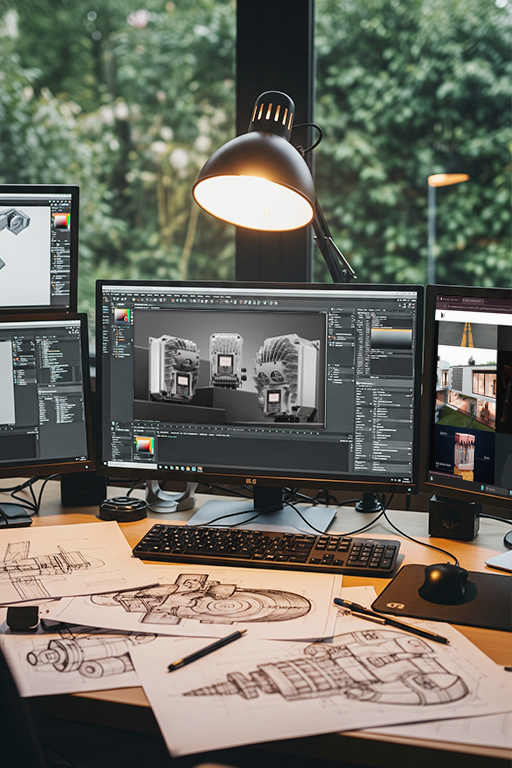
Which 3D Animation Software? Blender, 3ds Max, Maya, Cinema 4D and Houdini
What do you make this in? Choosing 3D animation software
Did you know that one of the first fully computer-generated scenes in cinema history lasted barely 60 seconds — and that making it changed the future of visual effects forever?
We’re talking about the famous “Genesis Effect” from Star Trek II: The Wrath of Khan (1982). That was the first time audiences saw, on the big screen, a barren planet transform in an instant into a living, green world — all of it created from pure code, with no physical models and no cameras.
Today, more than four decades on, technology that was once revolutionary movie magic has become a powerful, versatile tool in business, marketing and engineering. Have you ever wondered what sits behind a photorealistic product visualization that catches your eye, or an animation that clearly explains a complicated technical process? That’s the echo of that digital revolution — a story we tell in full in our history of computer graphics. In this article you’ll meet a few of the best-known programs for creating and rendering animation.
The 3D software market is varied, and every program has its strengths and weaknesses. The key is knowing which tool fits which job. The answer to the question of which 3D animation software to use depends entirely on the goal you’re trying to reach.
Table of contents:
- Blender — the Swiss army knife of 3D
- 3ds Max — the standard in visualization and games
- Maya — Hollywood’s character animation standard
- Cinema 4D — the king of motion design
- Houdini, CAD and engineering precision
- Render engines: the heart of photorealism
- The 3D market in numbers
- Frequently asked questions
Blender: the Swiss army knife of 3D graphics
Blender is an extraordinarily powerful, versatile and — importantly — free, open-source application. It also has a fascinating backstory.
It started out as commercial software, but the company behind it went bankrupt. In 2002, the user community, led by the program’s creator Ton Roosendaal, ran a fundraiser and for €100,000 bought the rights to the source code — releasing it to the world as open source.
Its strength is enormous flexibility. It excels at modelling, digital sculpting, animation, and even video post-production. With built-in render engines such as Cycles (ray tracing) and Eevee (real-time), it can produce both stylised and photorealistic imagery.
Autodesk 3ds Max: the standard in visualization and games
When a project demands absolute precision and photorealism — especially in architectural visualization or building game assets — the question of which 3D animation software to use often leads to 3ds Max. Its roots go all the way back to 1990 and the DOS operating system. Its first version was called “3D Studio”. It’s a veteran that has evolved for decades alongside the entire computer graphics industry.
Its strength lies in advanced modelling tools, a powerful modifier system, and a vast library of plugins and scripts that automate and speed up the work.
3ds Max’s portfolio is gigantic, especially in games. It’s where the models and worlds were built for hits like “Assassin’s Creed”, “Call of Duty” and “The Witcher 3: Wild Hunt”. In film, it was a key tool for the effects in “Avatar”, “2012” and “Iron Man”.
Autodesk Maya: Hollywood’s standard for character animation
When it comes to big-budget film production and advanced character animation, the answer has been the same for years: Maya. It’s the absolute standard in film and VFX, prized for unmatched rigging (building digital skeletons for characters) and animation tools. Its powerful Graph Editor and systems for complex deformations let animators breathe life into any character, however fantastical.
Maya (or rather the technology it was built on) has won something every filmmaker dreams of — an Oscar®. On 1 March 2003, the Academy awarded Alias a Technical Achievement Award, recognising Maya’s revolutionary impact on the film industry (source: Animation World Network).
The list is close to endless. Maya animated the characters in Disney hits such as “Frozen”, created the digital creatures in “Stranger Things” and “The Last of Us”, and brought to life one of the first fully digital, iconic characters in cinema history — Gollum from “The Lord of the Rings”.
Cinema 4D: the king of motion design
For dynamic advertising and product animation, where speed, the “wow” factor and smooth integration with other tools matter most, the answer is often Cinema 4D. The program is famous for its intuitive interface and its remarkably powerful MoGraph module, which lets you build complex procedural animation in very little time. Its excellent interoperability with the Adobe suite (especially After Effects) makes it a favourite among motion designers.
The program was designed with artists and designers in mind rather than engineers, which makes the barrier to entry lower than with many competitors. Its MoGraph module revolutionised the motion graphics industry, making complex animation possible without writing a single line of code.
The world of specialist tools: Houdini, CAD and engineering precision
Beyond the big four lies a whole universe of specialist software built for very specific jobs. Leading the pack is Houdini — the master of visual effects. Its procedural, node-based working environment makes it indispensable for simulating fire, water, smoke, explosions and large-scale destruction.
Instead of sculpting an effect by hand, in Houdini you build a “recipe” that can be modified at will.
An entirely different category is CAD (Computer-Aided Design) software such as AutoCAD, SolidWorks or Fusion 360. These aren’t animation tools — they’re for engineering and product design with absolute, mathematical precision.
And yet this is very often where our work begins. We receive a client’s CAD model of their product, which we then have to import, convert into animation-friendly geometry (polygons), and only then can we texture it and bring it to life in a program like Blender or 3ds Max. It’s the crucial bridge between the world of engineering and the world of visual marketing — one we walk through step by step in our guide on going from CAD to a photorealistic render. It’s also why we can build materials for a product while it’s still at the design stage, as we do for HF Inverter in industrial automation.
Render engines: the heart of photorealism
A 3D model is only a skeleton. It’s the render engine that turns it into the final image or animation, calculating how light interacts with the materials in the scene. Choosing an engine matters as much as choosing the program.
Path tracing / ray tracing engines (e.g. V-Ray, Corona, Cycles, Arnold): these aim to simulate the physical properties of light as faithfully as possible. They analyse the path of individual rays, which produces extraordinarily realistic lighting, shadows, reflections and refraction. The process is computationally demanding and time-consuming, but delivers the best results in terms of photorealism.
Real-time engines (e.g. Unreal Engine, Unity, Eevee): their priority is speed. They generate an image almost instantly, which allows interactive work. Historically they lagged on quality, but modern technology (such as hardware ray tracing) is steadily blurring the difference. They’re indispensable in games and interactive presentations.
CPU vs GPU rendering: the fight for power and time — and not just for AI!
In recent years everyone has been talking about powerful graphics cards (GPUs) in the context of artificial intelligence — which raises a fair question we answer separately: will AI replace 3D artists? The truth is that 3D artists and animators were among the first to understand and exploit the enormous parallel-computing power GPUs offer. Rendering — creating the final image — is pure mathematics, and graphics cards are simply far faster at it than processors (CPUs).
CPU rendering: the traditional, reliable method. The processor is like a brilliant, versatile scientist — it can handle the most complex problems, enormous scenes and very high-resolution textures without worrying about memory limits. It’s precise, but solving the problem takes it a good while.
GPU rendering: the more modern and far faster approach. A graphics card is like an army of thousands of specialised workers. Each performs a simple, repetitive operation, but together they can put up a skyscraper in record time. Thousands of GPU cores run the lighting calculations in parallel, which dramatically cuts render times.
In many cases we’re talking about a 5x, 10x, or even 20x speed-up.
If you’d like to see how these pieces fit together on a real job — from brief to final frames — we break it down in our guide to the 3D animation production process.
The future is already here: 3D in numbers
Choosing the right technology is the foundation, but the real value lies in understanding where the whole industry is heading. 3D graphics is no longer the preserve of film and games — it’s one of the fastest-growing technology sectors, and its impact on business is measurable and genuinely promising.
To close, let’s look at a few figures that best sum up why a considered investment in 3D creative is a step into the future. The global 3D animation market was valued at $22.67 billion in 2023, and Grand View Research forecasts its value will exceed $51 billion by 2030 (source: Grand View Research).
That shows an enormous and still-growing appetite for content created in three dimensions.
Engines like Unreal Engine and Unity, which render graphics in real time, are revolutionising not just games but film production (as in “The Mandalorian”), architecture and marketing. They’re driving the growth of virtual and augmented reality, which are becoming a new standard for interacting with customers.
3D technology has stopped being a curiosity — it’s become a key part of visual strategy, letting you build competitive advantage, increase sales and tell stories in ways that were impossible until recently.
Frequently asked questions
Which 3D animation software is best for beginners?
Blender — it’s completely free, open-source, and at the same time powerful enough for modelling, animation and photorealistic rendering. It’s a good start with no financial barrier, although professional studios often combine it with specialist tools depending on the project.
How does Blender differ from professional programs like 3ds Max or Maya?
Blender is versatile and free, while 3ds Max and Maya are paid, specialised tools with decades of development behind them in specific industries — 3ds Max dominates games and architectural visualization, Maya character animation and film production. Large studios often choose them for the mature ecosystem of plugins and integration with a production pipeline.
Which program works best for advertising and product animation?
Cinema 4D, thanks to its MoGraph module, is especially popular in motion design and dynamic advertising animation — it lets you build complex procedural effects quickly without writing code, which shortens production time.
Is CAD software (SolidWorks, AutoCAD) used to create animation?
Not directly — CAD is for engineering design with mathematical precision, not for animation. In practice, a CAD model is very often where our work begins: we import it, convert it into animation-friendly geometry, and only then bring it to life in a program like Blender or 3ds Max. We walk through that whole handover in our guide on going from CAD to a photorealistic render.
What is the difference between CPU and GPU rendering, and which is faster?
GPU rendering uses thousands of cores working in parallel, which in many cases delivers a 5–20x speed-up over CPU. A processor copes better with very complex scenes and large textures without memory limits, but at the cost of time.
Which programs does Modelight use to create 3D animation for clients?
We match the tool to the specific project — from the client’s CAD files (SolidWorks, STEP, IGES), through modelling and animation, to photorealistic rendering. See our work to judge the end result, regardless of which tools sit behind the scenes.
You don’t need to learn any of these programs.
Send us a CAD file or a description of your product — we’ll take care of the rest.
See our work